

Google Business Profile Help says appeal evidence must be submitted within 60 minutes after opening the evidence form. The help page had no publication date when checked on September 2, 2026.
Last verified: September 2, 2026.
Google's documentation says:
Do not create a new Business Profile for the same business while your appeal is under review.
Suspension appeal
Correct the record before appealing
60
Minutes for evidence
- 01Triage
Classify the restriction
Profile, account, merchant account, duplicate, or eligibility issue
- 02Fix
Correct the policy mismatch
Match the real name, location, service area, and operating model
- 03Evidence
Prepare evidence before opening
Documents must match the profile name and address
- 04Submit
Appeal once and monitor
Use the batch path for more than 10 profiles
Google Business Profile Help: Fix suspended or disabled profiles; checked September 2, 2026.
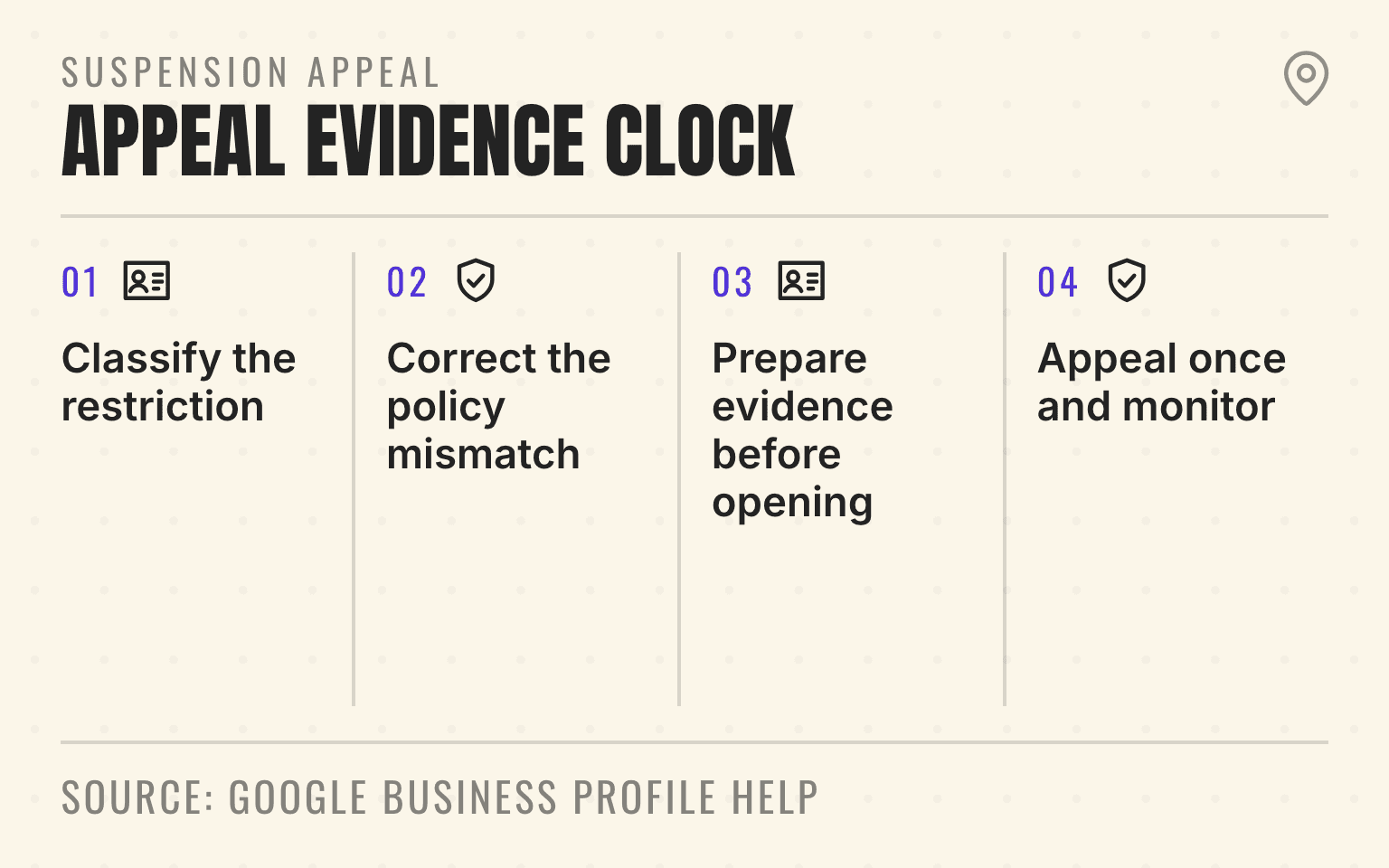
- Four-step suspension appeal process with a 60-minute evidence submission window.
- 1. Classify the restriction: Profile, account, merchant account, duplicate, or eligibility issue
- 2. Correct the policy mismatch: Match the real name, location, service area, and operating model
- 3. Prepare evidence before opening: Documents must match the profile name and address
- 4. Appeal once and monitor: Use the batch path for more than 10 profiles
Google's current appeal process is built around the restricted profile, the stated moderation reason, the cited policy, and evidence for that location. It also has a separate path for account restrictions and a batch process when more than 10 profiles are involved.
Important
Treat a Google Business Profile suspension as a portfolio incident. Preserve the record, classify the restriction, correct the policy mismatch, prepare evidence, and then appeal through the route Google shows.
The short answer
A multi-location brand should assign one incident owner, identify every affected profile and account, record the moderation reason, compare each location with Google's eligibility and representation rules, and prepare evidence before opening the time-limited form.
Do not create a replacement profile while an appeal is under review. If Google restricted the managing account, address that account restriction before appealing individual profiles. If the case covers more than 10 profiles, use Google's batch option and attach a location spreadsheet with evidence and Business Profile IDs.
For a 20- to 500-location operator, the appeal is one part of the multi-location local SEO operating system. Ownership, profile eligibility, location pages, phones, reviews, citations, and local evidence have to describe the same operating business before and after reinstatement.
Classify the restriction before opening an appeal
The word "suspended" gets used for several different problems. Google routes them differently.
One Business Profile is suspended or disabled
Google's suspension help directs the owner or manager to the Business Profile appeals tool. The tool shows the restricted profile, the reason for the moderation action, and a link to the violated policy.
That information should define the investigation. A Phoenix HVAC branch flagged for an address issue needs a location and eligibility review. It does not need a generic appeal about the company's reputation.
The managing Google account is restricted
Google's Business Profile policy overview says an account restriction can suspend every Business Profile associated with that account. The restricted account also cannot create or claim other profiles.
Google instructs businesses to appeal the account restriction first. After the account is reinstated, the company can appeal the affected Business Profiles. This is why the owner and manager map matters as much as the profile fields.
Reviews, edits, or media are restricted
A rejected edit, review restriction, or media restriction is not automatically a suspended profile. The routes also differ between businesses in the UK or European Economic Area and businesses elsewhere.
If Google has limited review activity rather than removing the profile, use the multi-location review restriction recovery plan. Keep that incident separate from a profile or account suspension.
Freeze the incident record, then correct the mismatch
Capture the original state before multiple teams start editing. The incident owner should maintain one dated record for each affected location:
- Business Profile ID, public URL, location name, and operating brand
- Moderation date, status, stated reason, and linked policy
- Google account, primary owner, owners, managers, and agency access
- Profile name, address visibility, business type, category, phone, website, hours, and service area
- Recent ownership, name, address, category, website, phone, or verification changes
- Evidence owner, appeal owner, submission time, case status, and readback result
Evidence preservation does not mean leaving a known policy problem untouched. Google says the profile should follow its guidelines before an appeal is submitted. Record the state first, correct only the mismatch the evidence supports, and document what changed.
Once the appeal is submitted, stop uncoordinated edits. Google's policy overview notes that an appeal may be rejected when the relevant profile or content is edited, deleted, or already live before Google can determine a verdict. Google also says not to submit duplicate appeals while a decision is pending.
Do not create a new profile for the same operation. If the location already has another record, use the duplicate Business Profile cleanup workflow to identify the real surviving profile.
Rebuild each location against Google's eligibility rules
The appeal should prove that the profile represents a real, eligible business as it operates now.
Google's eligibility and ownership guidance requires in-person customer contact during stated hours. It excludes online-only brands, lead-generation businesses, P.O. boxes, and remote mailboxes. Only owners and authorized representatives may manage the profile.
Google's representation guidelines add the operating details. The real-world name should match signage, the website, stationery, and other customer-facing materials. The address or service area should be accurate. Categories should describe the core business. There should normally be one profile per business location.
For a med spa group, a customer-facing location needs a real entrance, permanent business identity, staff, stated hours, and a customer path that exists beyond the profile. A suite number and a booking page do not establish a staffed location by themselves.
For a service-area HVAC branch, the address should be hidden when customers are not served there. The branch still needs a real operating base, staff, equipment, accurate coverage, a phone and website under the business's control, and evidence that matches the profile.
If the disputed address is a rented suite, mailbox, or coworking office, run the virtual-office eligibility test for home services before building the appeal packet. Correct evidence cannot make an address eligible when the business does not operate there.
A restoration roll-up should pay special attention after an acquisition or rebrand. Changing the owner, public name, address, category, website, and phone at once can leave the profile describing a business that no source can verify. Complete the ownership transfer and access readback before making a separate identity change.
Next step
Is AI recommending your business?
Find out how visible you are across ChatGPT, Gemini, Perplexity, and AI Overviews.
Prepare the evidence before the 60-minute window
Google recommends preparing evidence before submitting the appeal. After the appeal is submitted, the linked evidence form must be completed within 60 minutes or the evidence will not be attached.
Build the location packet before anyone opens that form:
- Official business registration, business license, or tax certificate for the operating entity
- Business utility bills such as electricity, phone, cable, or internet
- Documents whose business name and address match the profile being appealed
- The Business Profile ID, moderation reason, linked policy, and dated location record
- A short factual explanation of the mismatch, correction, and evidence for eligibility
- For a batch case, a spreadsheet that ties each profile ID to its location evidence and internal owner
Use the official Google appeal route for private business documents. Google's Help pages warn users not to share confidential personal or business information in public forums. The internal incident record should also limit access to people handling the appeal.
This is a matching exercise, not a volume contest. One current license and one matching utility bill can be more useful than a folder of unrelated brand material. If the profile shows a trade name while the utility bill shows a legal entity, include the public evidence that explains the relationship rather than asking the reviewer to infer it.
Treat an account restriction as the parent incident
An account-level restriction changes the blast radius. Google says all Business Profiles associated with the restricted account may be suspended, and new profile creation or claims are blocked.
A franchise system should identify which locations the account owns, which it only manages, and whether another unrestricted owner still controls each profile. A manager-account restriction does not necessarily remove the locations, while removal of an owner account can affect all locations owned by that user.
Do not move profiles between accounts during the incident without a documented reason. The access map should show the company-controlled owner, local or franchise owner, agency manager, and former users. Resolve the account restriction first, then appeal the profile suspensions Google still shows.
For future resilience, use company-controlled accounts and role-based access instead of one employee or agency login as the only owner. The goal is accountable control, not a workaround for enforcement.
Use Google's batch path for more than 10 profiles
Google documents a batch option for appeals covering more than 10 Business Profiles. Start in the appeals tool with one affected profile, indicate that the appeal covers more than 10 profiles, and attach a spreadsheet with the evidence and Business Profile ID for each location.
The monitoring limitation matters. Google says the appeals tool will update the status only for the selected profile, not the other profiles in the spreadsheet. Google also sends one decision email for that selected profile.
The brand therefore needs its own portfolio ledger. For every row, track profile ID, operating brand, location, restriction reason, policy, evidence, internal owner, submission date, selected-profile case status, public visibility, and final readback. Do not treat one approved email as proof that every location returned.
This batch path is different from bulk verification. The bulk-verification guide for home service franchises explains why suspended, disabled, duplicate, and pure service-area profiles can require separate work before the wider portfolio is clean.
Read back every location after the decision
Google's appeals tool can show Submitted, Approved, Not Approved, Can't be appealed, or Eligible for appeal. Keep the internal status tied to the exact profile and case.
After approval, verify that the authorized owner can access the profile and that customers can find the intended record. Read back the public name, business type, address visibility, service area, category, hours, phone, website, and booking path. Test the phone and URL. Compare the profile with the location page and the branch's real operating state.
If the request is denied, Google says an additional review may be available. Use that route only after identifying new evidence or a remaining policy mismatch. Do not send the same packet repeatedly or open another profile.
For a smart-home network, the incident is not closed when one marketer receives an approval email. It is closed when every affected branch has the intended owner, public record, customer path, and status in the portfolio ledger.
Put suspension readiness into quarterly governance
Suspension recovery is easier when the evidence already exists. Each quarter, have the profile owner and local operator read back the business name, profile ID, owners and managers, business type, address visibility, service area, category, hours, phone, URL, and location-page match.
Keep current registration, license, utility, and location evidence in a restricted company system with a named custodian. Record acquisitions, moves, rebrands, agency changes, and verification events as controlled profile changes rather than ad hoc edits.
The practical standard is simple: every Google Business Profile should trace to one eligible operation, one accountable owner, one customer path, and a current evidence packet. When those records agree, an appeal can explain the business without guesswork.
Sources
- Fix suspended or disabled profiles, Google Business Profile Help, no publication date. Checked September 2, 2026.
- Appeal content and profile restrictions, Google Business Profile Help, no publication date. Checked September 2, 2026.
- Business Profile policies, Google Business Profile Help, no publication date. Checked September 2, 2026.
- Business eligibility and ownership, Google Business Profile Help, no publication date. Checked September 2, 2026.
- Guidelines for representing your business on Google, Google Business Profile Help, no publication date. Checked September 2, 2026.
Dylan Allen-Arnegård is the CEO & Co-Founder of Cheers, the local search platform for multi-location service businesses.