

Google's restriction page states the trigger in one sentence: "Businesses that violate our Fake Engagement policy may be subject to certain restrictions if we determine violative activity on their profile(s)." The restriction is enforcement against the business, not moderation of one customer's review, and the two have different recovery paths.
Last verified: September 2, 2026.
A Google review restriction is an operating incident, not a reputation-management task to hand to one branch manager.
Google says a Business Profile found to violate its fake-engagement policy may lose the ability to receive new reviews for a period, have existing reviews unpublished for a period, or display a public warning that fake reviews were removed. Its own wording covers both outcomes: the profile "will not be able to receive new reviews or ratings for set period of time" or its "existing reviews or ratings will be unpublished for set period of time." Google also says it emails the business owner and allows an appeal.
For a 60-location plumbing group, the immediate question is not how to replace the missing reviews. It is whether one incentive, survey gate, vendor setting, manager contest, or review script is running across the portfolio.
Important
Contain the review workflow before changing evidence. A rushed repost campaign, new profile, or duplicate appeal can make the incident harder to diagnose.
The recovery path is to classify the notice, preserve the affected workflow, trace the policy risk, correct the process, appeal with evidence, and restart at one controlled branch. If the same software and scripts feed many locations, the review generation system needs branch-level controls and an auditable stop switch.
First, identify what Google actually restricted
Several review problems look similar from a branch dashboard. They do not use the same recovery path.
A Business Profile review restriction
This article addresses a notice tied to fake engagement on a Business Profile. Google lists three possible outcomes: new reviews may be disabled for a set period, existing reviews may be unpublished for a set period, or a warning may appear on the profile.
The notice and affected profile are the starting evidence. Record the email, Google Account, Business Profile ID, location, date, visible warning, and any appeal link before the team changes settings.
A missing or delayed review
Google says reviews can be delayed while they are checked, removed for a content-policy violation, or temporarily unavailable for other reasons. One customer saying that a review disappeared does not prove the business is restricted.
Check whether the profile can still receive reviews, whether Google sent an owner notice, and whether other recent reviews are publishing. Keep this diagnostic separate from the restriction incident.
Use the missing-review reconciliation guide to compare the same profile, surface, and time before escalating.
A review-removal dispute
Reporting an inappropriate customer review and appealing the removal decision is also a different process. That path concerns a contribution on the profile. A fake-engagement restriction concerns enforcement against the business or profile.
If the issue is a suspicious review posted against the business, use the multi-location fake-review reporting and appeal workflow instead of the restriction recovery path.
A suspended profile or account
A suspension can block broader profile access and publishing. Do not describe every missing-review problem as a suspension, and do not create a replacement Business Profile while an appeal is pending.
Use the multi-location Business Profile suspension appeal plan when enforcement removes the profile or restricts the managing account.
Contain the shared workflow before the first appeal
Assign one incident owner at the brand level. Pause the affected review link, campaign, badge group, kiosk, or follow-up automation. If one shared rule feeds many branches, pause that rule across the portfolio until the team knows whether it violates policy.
Do not delete the scripts, incentive terms, survey logic, vendor settings, or location assignments before recording them. Those details may explain why one branch was restricted and another was not.
For a smart-home installer with 30 branches, a useful containment boundary might be one regional campaign that offered a technician contest. For a med spa group, it might be a post-visit survey that sent only high-satisfaction customers to Google. The goal is to stop the questionable path without erasing how it worked.
Pro Tip
Preserve the original state, then make the correction in a dated copy. The appeal should explain what existed, what changed, and which locations used it.
Trace the restriction to a practice Google names
Google's review policy is specific enough to audit. It prohibits fake reviews, incentives tied to posting or changing a review, selective positive-review solicitation, pressure to review while on the premises, requested review content, and staff targets for a certain number of reviews.
That creates six places to inspect in a multi-location program: the eligibility rule, customer message, timing, incentive, employee goal, and routing logic.
An HVAC roll-up may use a neutral message nationally but let one district pay a bonus for every named five-star review. A franchise brand may ask all customers, then use a survey to show the Google link only to promoters. A restoration group may hire a reputation vendor whose contract promises a volume of positive reviews without explaining the collection method.
Employee attribution does not require the customer to name a technician. A compliant system can connect a neutral review link to the service event, branch, and employee behind the scenes. The employee-attribution software guide explains why the data model should not depend on rating pressure or requested wording.
If the audit finds a shared policy violation, correct the shared rule. If it finds a branch-only deviation, document the branch exception and verify that the national template did not enable it.
Build the evidence packet before opening the form
Google's broader Business Profile appeals guidance is exact about the window: "You must submit the evidence within 60 minutes of submitting your appeal." Prepare the packet first. The restriction notice may provide its own appeal route, so follow the link and instructions Google sent for the affected profile.
A useful evidence packet contains:
- The restriction email, affected Business Profile ID, location, date, and owner account
- Screenshots or exports of the request message, survey path, incentive, employee target, and vendor settings as they existed
- A plain explanation of the diagnosed policy issue or why the restriction appears incorrect
- Dated proof of the correction, including the new eligibility rule, script, routing logic, and owner
- Matching business documents if Google requests proof of the business or profile
- A location roster showing which branches used the same workflow and which did not
Do not pad the appeal with general statements about being an honest company. State what happened, what the evidence shows, what changed, and why the corrected process matches the cited policy.
The FTC's Consumer Reviews and Testimonials Rule creates a separate legal reason to take the audit seriously. FTC staff says the rule covers deceptive practices involving fake reviews and sentiment-conditioned incentives, and that review brokers and reputation firms are not automatically outside its scope. This article is operational guidance, not legal advice. Counsel should review material legal exposure.
Next step
Is AI recommending your business?
Find out how visible you are across ChatGPT, Gemini, Perplexity, and AI Overviews.
Correct the program across roles and locations
The corrected workflow should use one neutral eligibility rule for real customers. It should not predict sentiment, request a rating, request a technician name, require completion in front of staff, or pay for a review outcome.
The review compliance playbook covers those policy boundaries. The point-of-service collection guide shows how to turn them into a field workflow without review quotas.
Ownership matters as much as the script. Marketing should own the approved message and routing rule. Operations should own eligible service events and field training. Compliance or legal should review incentives and vendor contracts. A regional manager should be able to report a deviation without losing the whole program's history.
For a pest-control franchise, restart training can be concrete: every completed eligible service receives the same optional link, the technician does not suggest a rating or wording, and the manager measures whether the approved process happened rather than how many positive reviews each employee produced.
Appeal once and track the real status
Use the appeal path in the restriction notice or Google's linked Business Profile appeal flow. Submit the relevant evidence once. Google's general appeal guidance is explicit: "Do not submit multiple appeals for the same issue before receiving a decision."
Track the affected profile, submission date, case or appeal reference, evidence supplied, current status, owner, and next permitted action. If the tool shows no eligible moderation action but the restriction remains, Google's guidance directs businesses to contact support.
An appeal is not a guarantee that reviews, ratings, or the warning will be restored on a specific schedule. Report the actual status to leadership. Do not convert an appeal submission into an assumed recovery date.
Restart at one branch before scaling again
After the restriction is resolved or Google provides the next allowed action, restart the corrected workflow at one representative location. Choose a branch with trained staff, stable service volume, and an accountable manager.
Use a controlled restart:
- Apply the same neutral eligibility rule to every qualifying customer
- Use one approved message with no rating, sentiment, or wording request
- Keep incentives, contests, and review-count quotas out of the program
- Verify that the link reaches the correct Business Profile and can be disabled by location
- Monitor publication and policy exceptions without asking customers to repost missing reviews
Expand only after the branch follows the new process consistently. Review count is not the launch gate. The gate is whether the workflow is understandable, auditable, and safe for another location to run.
Set the restart expectation from real volume rather than the pre-restriction peak. In the Cheers production review pull covering the 90 days ending September 2, 2026, the median home-services company collected 9.7 new reviews per location a month and the 25th percentile company 6.5, across 11 companies and 76 locations with at least one review. A compliant pilot branch that produces a handful of reviews in its first month is still ramping up, not failing. Aggregate only (corrected September 23, 2026), no company named; see the panel methodology and the Home Services AI Visibility Index.
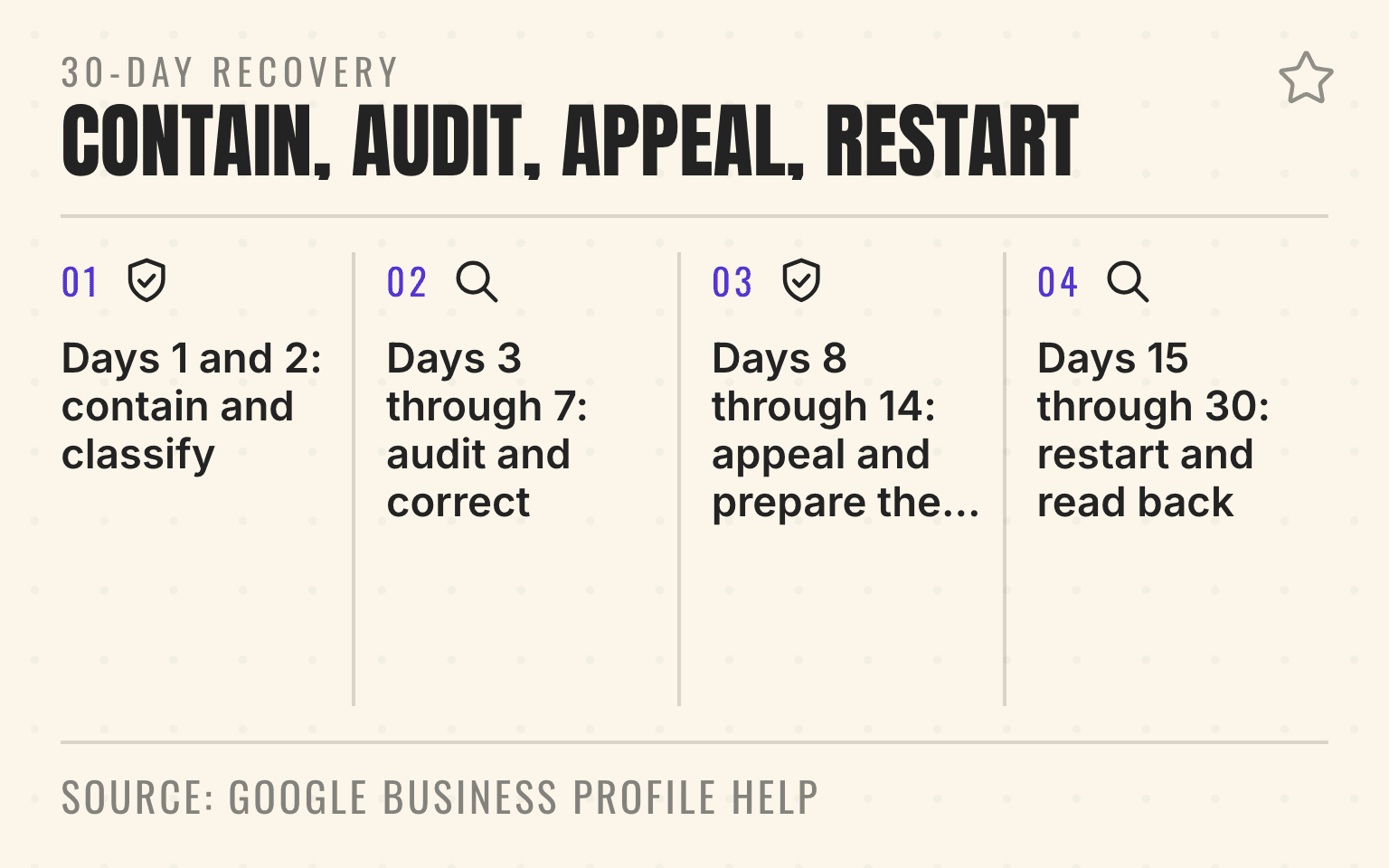
A 30-day recovery rhythm
Days 1 and 2: contain and classify
Name the incident owner, preserve the notice, pause the affected path, and separate a profile restriction from missing reviews or a broader suspension.
Days 3 through 7: audit and correct
Map every active request path by region, vendor, branch, and employee program. Remove gating, incentives, rating requests, requested wording, on-premises pressure, and staff quotas. Save dated evidence of the change.
Days 8 through 14: appeal and prepare the pilot
Submit the appeal once, track the status, train one pilot branch, and confirm that marketing, operations, and the vendor use the same rule.
Days 15 through 30: restart and read back
Restart only when the profile status permits it. Verify the live link, staff behavior, customer message, exception log, and branch stop control. Then decide whether the corrected workflow is ready for another location.
The useful management question is not how quickly the brand can replace a lost review count. It is whether the team can prove that every active request comes from a real service experience and follows one inspectable rule.
Sources
- Business Profile restrictions for policy violations. Google Business Profile Help, undated help page. Fake-engagement restrictions, owner notification, and the right to appeal. Checked September 2, 2026.
- Prohibited and restricted content. Google Maps contribution policy, undated policy page. Incentives, selective solicitation, rating manipulation, on-premises pressure, requested wording, and staff review targets. Checked September 2, 2026.
- Appeal Business Profile content and profile restrictions. Google Business Profile Help, undated help page. The 60-minute evidence window, duplicate-appeal guidance, and the appeals tool. Checked September 2, 2026.
- Tips to get more reviews. Google Business Profile Help, undated help page. Checked September 2, 2026.
- About missing or delayed reviews. Google Business Profile Help, undated help page. Checked September 2, 2026.
- Rule on the Use of Consumer Reviews and Testimonials: Questions and Answers. Federal Trade Commission, November 2024. Rule effective October 21, 2024. Checked September 2, 2026.
- Home Services AI Visibility Index 2026. Cheers Research, September 2, 2026.
Dylan Allen-Arnegård is the CEO & Co-Founder of Cheers, the local search platform for multi-location service businesses.