

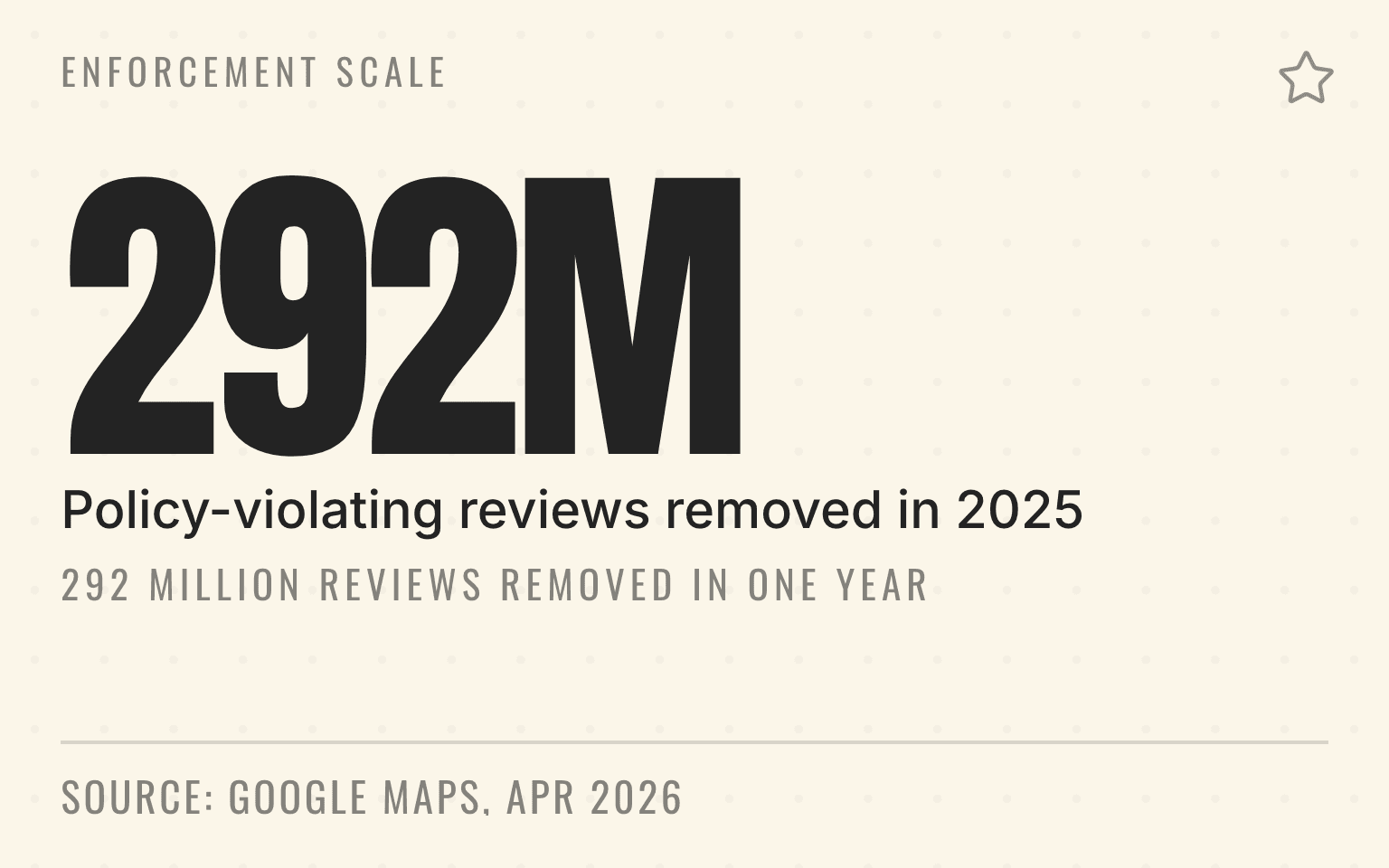
Google says it blocked or removed over 292 million policy-violating reviews in 2025, placed posting restrictions on more than 782,000 accounts, and removed over 13 million fake Business Profiles. That was published on the Google blog on April 16, 2026. Enforcement at that scale is automated first, which is why a compliant collection process matters more than a clean intention.
Last verified: September 2, 2026.
Google prohibits fake engagement, incentives, review gating, rating pressure, and other manipulation. Enforcement can include removing policy-violating content, restricting contributions, or applying profile restrictions, depending on the conduct and policy. A compliant program starts with a neutral request available to every eligible customer.
The policy itself is one sentence long:
"Contributions to Google Maps should reflect a genuine experience at a place or business. Fake engagement is not allowed and will be removed."
For the field workflow, read Review Collection at Point of Service: A Playbook, or hand the whole program to review generation. For the signal layer that makes reviews matter in AI answers, read How Reviews Support AI Visibility for Local Businesses.
If a Business Profile has already received a fake-engagement restriction, follow the review restriction containment and recovery workflow before restarting the program.
What Google prohibits
Important
Separate the policy from the possible enforcement outcome. A review may be removed, a user's contributions may be restricted, or a Business Profile may face restrictions. Do not describe every violation as an automatic listing penalty.
Paying for reviews. You cannot offer customers money, discounts, or rewards in exchange for reviews. This includes loyalty points, contest entries, or any other incentive tied to leaving a review. Google's contribution policy names both halves of that: "Reviews or ratings that have been paid for, directly or in kind" and "Content that has been posted due to an incentive offered by a business - such as payment, discounts, free goods and/or services."
Review gating. You cannot filter customers through a satisfaction survey and only send happy ones to leave reviews. Everyone gets the same opportunity.
Fake reviews. You cannot post reviews yourself, have employees post as customers, or hire services to generate fake reviews. That is the conduct the FTC and Illinois alleged in a May 2026 lawsuit over fake local home repair listings, covered in how to report fake home service listings on Google.
Soliciting specific ratings. You cannot ask customers to leave a 5-star review. You can ask for a review, but not a particular rating.
Selective solicitation. Do not limit review requests to customers you think will leave positive reviews. If you ask anyone, you should ask everyone.
Staff pressure that shapes review content. Google's policy says merchants should not pressure users to leave reviews on premises, request specific content, or ask staff to solicit a certain number of reviews. That matters for frontline programs. Train the process, but do not turn it into pressure on the customer.
What Google allows
Asking for reviews. You can absolutely ask customers to leave reviews. Just ask everyone equally.
Making it easy. You can provide direct links to your review page. You can use NFC badges, QR codes, or follow-up messages with links.
Responding where useful. Google recommends focusing replies on reviews where the business can provide a helpful update or answer a question rather than posting the same response everywhere.
Republishing reviews carefully. Before displaying a review elsewhere, verify reuse rights, attribution, accuracy, and applicable endorsement rules. Google's review policy alone does not grant republication rights.
Providing a private path. You can share a direct link under one neutral eligibility rule. Do not require or pressure the customer to complete the review while staff are present.
Google is not the only rulebook
The Federal Trade Commission's Rule on the Use of Consumer Reviews and Testimonials went into effect on October 21, 2024. It reaches conduct a Google policy page does not: buying positive or negative reviews, undisclosed insider reviews, company-controlled review sites presented as independent, and review suppression. The FTC's own guidance puts the suppression line at the point where organization becomes concealment:
"Organizing reviews is not suppressing reviews under the rule."
The same guidance warns that "organizing reviews in a way that makes it difficult for consumers to know about or find negative reviews could be an unfair or deceptive act." A review widget on a location page that quietly hides one-star feedback is a legal question, not a marketing preference. If you are placing review content on your own pages, read Can Local Businesses Use Reviews on Location Pages? before you ship the widget.
Yelp is stricter than Google. Its support page tells businesses not to ask anyone for a review, and its software tries to identify requested reviews and leave them out of the star rating. That matters for AI search because about a third of the rated business cards on ChatGPT's map link to Yelp, which is why ChatGPT often shows a lower star rating than Google.
Next step
Is AI recommending your business?
Find out how visible you are across ChatGPT, Gemini, Perplexity, and AI Overviews.
Volume still comes from the compliant path
A neutral process is not a slow process. In the Cheers production review pull covering the 90 days ending September 2, 2026, the 75th percentile home-services company collected 26.4 new reviews per location a month against a panel median of 9.7, across 11 companies with at least one review. Aggregate only, no company named. Nothing in that top quarter depends on gating or incentives; it depends on asking at every completed job. The panel methodology and the full cuts are in the Home Services AI Visibility Index. If each branch needs a number to aim at, the review-count benchmark for AI recommendations gives the median by trade; set it as the location's pace, never as a quota for staff.
The practical playbook
Pro Tip
Train staff to ask consistently. The goal is a representative review profile, not a filtered one. If a customer had a poor experience, your process should still give them the same opportunity to share feedback.
Use technology that's compliant. NFC badges, QR codes, and follow-up messages should link directly to Google's review interface, not to your own gating system.
For plumbing and HVAC operators evaluating that technology layer, Best Review Management Software for Home Services translates the compliance rule into a field-service software checklist.
Keep your scripts neutral. "We'd really appreciate a review" is fine. "We'd really appreciate a 5-star review" is not.
Document your process. If Google ever questions your reviews, you want to show a compliant process. Keep records of your training materials and review collection methods.
Common mistakes to avoid
Review kiosks with gating. Some software asks "How was your experience?" and only shows the review link to people who select positive options. This is review gating. Don't use it.
Staff contests with review targets. Do not run contests that pressure employees to collect a certain number of reviews. Google's policy calls out merchants requesting that staff solicit a certain number of reviews, and those programs can push teams into bad behavior.
"Leave us a great review" signage. Anything that implies you only want positive reviews violates the policy.
Following up only with happy customers. If you do post-service follow-ups, send them to everyone, including people who expressed concern.
When a review is missing or removed
Google uses automated systems and human review to moderate contributed content. A missing review does not by itself prove that the business violated a policy.
Start with verifiable checks:
- Confirm whether the review violates Google's prohibited and restricted content policy
- Check whether the reviewer can still see the contribution in their account
- Review the request process for incentives, gating, rating pressure, or scripted content
- Use Google's review-management and appeal paths when applicable
Pro Tip
Keep the request process compliant even when legitimate reviews are delayed or removed. Do not ask the customer to repost repeatedly or change the wording to evade moderation.
The bottom line
You can build a consistent review process without manipulating the result. Ask every eligible customer under the same rule, make the path easy, and stay neutral.
Important
Design the process so the team cannot gate, incentivize, script, or pressure the review, even when managers are focused on growth.
Sources
- Tips to get more reviews. Google Business Profile Help, undated help page. Checked September 2, 2026.
- Prohibited and restricted content, including fake engagement. Google Maps contribution policy, undated policy page. Checked September 2, 2026.
- Manage customer reviews. Google Business Profile Help, undated help page. Checked September 2, 2026.
- New ways we are protecting businesses on Maps. Google, April 2026, reporting calendar-year 2025 enforcement volumes. Checked September 2, 2026.
- Rule on the Use of Consumer Reviews and Testimonials: Questions and Answers. Federal Trade Commission, November 2024. Rule effective October 21, 2024. Checked September 2, 2026.
- Local Consumer Review Survey 2026. BrightLocal, 2026, 1,002 US adult consumers. Checked September 2, 2026.
- Home Services AI Visibility Index 2026. Cheers Research, September 2, 2026, corrected September 23, 2026.
Dylan Allen-Arnegård is the CEO of Cheers, the local search platform for service businesses.