

Google's business-link policy says a booking link must represent the specific location, complete the action it names, return a working page, and remain accessible to Google's verification systems. The page had no publication date when checked on September 2, 2026.
Last verified: September 2, 2026.
Google's local-links documentation says:
You can add up to 10 links per category.
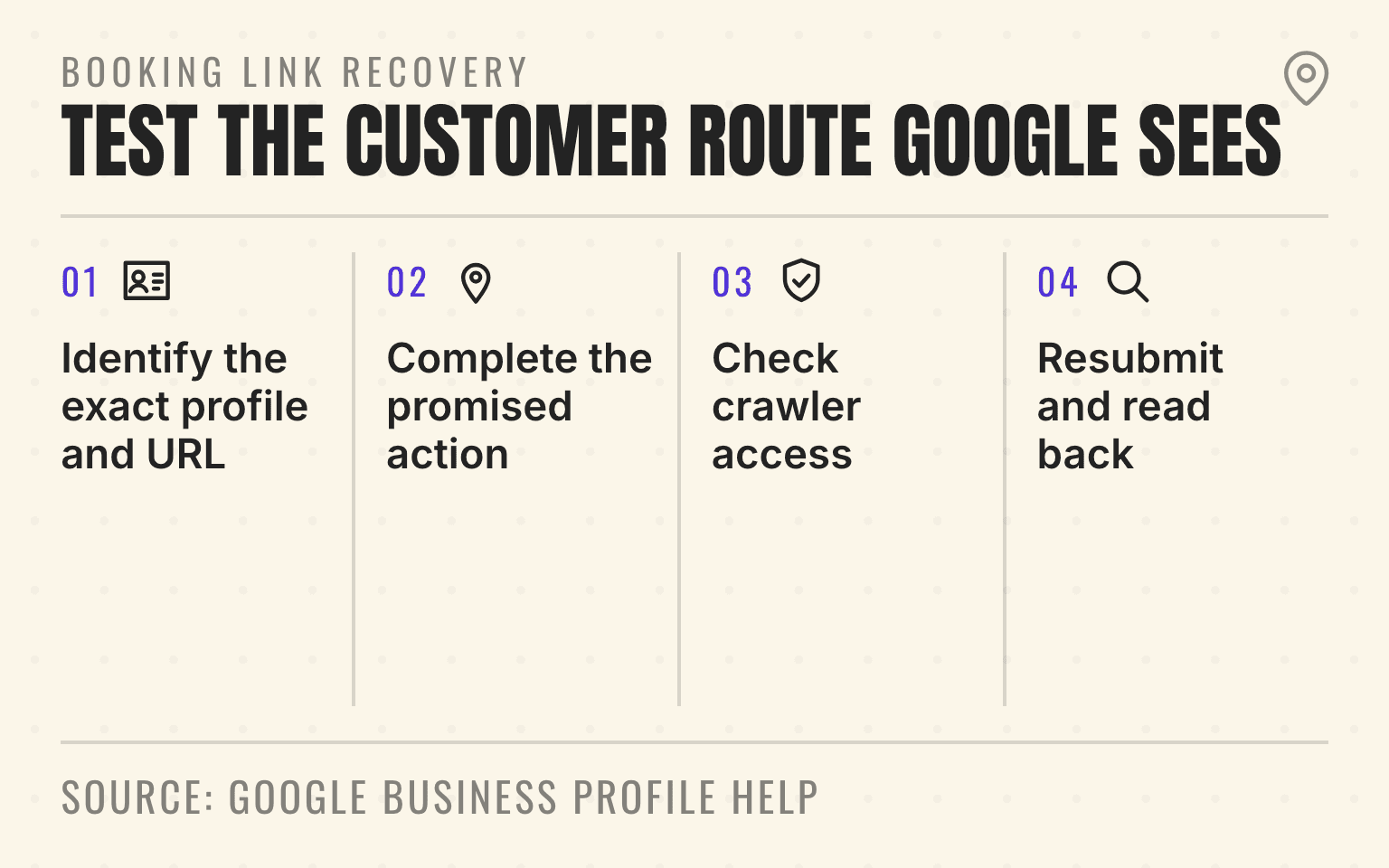
Booking link recovery
Test the customer route Google sees
- 01Inventory
Identify the exact profile and URL
Separate the website field, merchant link, and provider link
- 02Customer
Complete the promised action
Preserve the branch and service through the booking flow
- 03Google
Check crawler access
Inspect status, JavaScript, firewall, CAPTCHA, login, and geoblock behavior
- 04Verify
Resubmit and read back
Confirm the public link and a completed test booking
Google Business Profile Help: Business links policies and Manage your local business links; checked September 2, 2026.
- Four-step process for diagnosing and restoring a Google Business Profile booking link.
- 1. Identify the exact profile and URL: Separate the website field, merchant link, and provider link
- 2. Complete the promised action: Preserve the branch and service through the booking flow
- 3. Check crawler access: Inspect status, JavaScript, firewall, CAPTCHA, login, and geoblock behavior
- 4. Resubmit and read back: Confirm the public link and a completed test booking
For a multi-location service brand, that failure is rarely one generic "Google issue." The Phoenix HVAC profile may point to the national homepage. The Scottsdale med spa link may open a calendar for the wrong clinic. A garage door branch may send Google into a security challenge before the booking page loads. A third-party provider may also have added a link that competes with the one the brand intended to use.
Google's current business-link policy makes the standard concrete. A link must represent the specific location, let the customer complete the promised action, return a working page, and remain accessible to Google's verification systems. Google says it may check supplied links as often as daily and remove links that do not comply.
Important
Treat every booking link as a location-level customer route. The profile, destination page, service availability, booking system, and verification crawler all need to reach the same branch and the same action.
Why a valid-looking booking link disappears
Google can reject or remove a Business Profile booking link when the profile is not eligible or verified, the URL goes to a general or incorrect location page, the customer cannot complete the booking, another link already uses the same domain, or Google's crawler cannot fully load the destination.
The fix starts with the exact public URL, not the booking platform's admin screen. Confirm which profile owns the link, open the submitted destination in an ordinary browser, verify the location and service carried through, complete a test request, inspect the server response, and check whether security controls treat Google's verification crawler differently.
After the customer path is working, run a location-level visibility check in priority markets. Restoring a button proves the route is available. It does not prove the location is being found or recommended for the right service queries.
A booking link is different from the website field
The main website field can introduce the business. A booking link has a narrower job: it should let the customer complete a specific action.
Google's policy says a multi-location action link must lead to a dedicated page for the specific location. A national homepage, a market selector that forgets the original branch, or a booking page for another location does not meet that standard.
For an HVAC group, the Las Vegas profile should not send every customer to a national request form with no visible Las Vegas context. The booking page should retain the serving branch or service area, the services available there, and the next customer action.
For a med spa group, the appointment destination should open the right clinic and show services or providers that can actually be booked there. For a restoration company, an emergency intake form should not be labeled as an appointment if the customer is only requesting a callback. Google says the destination must allow completion of the action named by the link.
The location-page checklist covers the branch facts that should remain visible before the booking handoff. The agent-ready booking guide covers form labels, location routing, and confirmation states after the customer arrives.
Check these failure modes before resubmitting
Do not keep deleting and re-adding the same URL. Classify the failure first.
- The Business Profile is not verified, or the category and region are not eligible for that type of business link.
- The action link lands on a general homepage, another branch, or a page that loses the selected location during a redirect.
- The page describes booking but does not let the customer complete the intended action.
- A social page, messaging link, app-store page, or shortened URL was submitted instead of a direct booking destination.
- The same domain already appears through the business or a third-party provider, creating a duplicate-domain conflict.
- The destination returns an error, requires a login or CAPTCHA, blocks Google's verification crawler, fails to load required JavaScript, or applies a geoblock.
A public link can also be in review. Google says verified-profile edits are reviewed before they appear. Record the submitted URL, profile, edit date, visible status, and public readback instead of treating a saved field as proof that the link is live.
Google's verification crawler needs the whole page
Google identifies the relevant user agent as "Google-BusinessLinkVerification", and its policy says the crawler may visit a business link as often as daily to confirm that it reaches a valid and relevant page.
The important technical detail is that these verification crawlers do not follow robots.txt rules. A robots.txt change by itself is therefore not the fix for a missing booking link.
The page can still fail at the firewall, CDN, application, or booking provider. Google tells businesses not to block this crawler by user agent, rate limiting, CAPTCHA, login, IP rule, or geoblocking. The destination needs a successful HTTP response and a complete load of its images, CSS, and JavaScript.
That creates a common multi-location failure. The brand site returns 200, but the embedded scheduler calls a blocked script. A security service serves a challenge only to automated traffic. The booking provider geoblocks the region used by the verifier. The first redirect works, but the final location-specific URL returns 403.
Test the exact URL stored in the profile, including its query parameters and redirects. Check the final response, browser console, network requests, WAF logs, and booking-provider availability. Google's crawler documentation also warns that user-agent strings can be spoofed, so security teams should use Google's verification guidance rather than trusting any request that simply claims the name.
Pro Tip
If the page works only after a person passes a challenge, signs in, selects a market again, or reloads a failed widget, it is not a reliable Business Profile action destination.
Next step
Is AI recommending your business?
Find out how visible you are across ChatGPT, Gemini, Perplexity, and AI Overviews.
Build one location-specific destination
A good destination carries the customer's local context from the profile into the booking system.
Show the branch or service area in visible page copy. Keep the local phone route available. Present only services the location can fulfill. Make the primary action clear. If the system needs a ZIP code to confirm coverage, explain that before submission. If the action creates a request rather than a confirmed appointment, say so.
For a pest-control network, the booking page may identify the Dallas service area, ask for the property type and pest issue, then confirm that dispatch will contact the customer. For a garage door franchise, the page may preserve the Columbus branch and let the customer choose repair, installation, or an estimate. Google AI Mode linked a booking page in 31.3% of its answers about garage door repair in our Market Baseline. For a med spa group, it may open the selected clinic's provider calendar and explain any consultation requirement.
The destination should also match the location's real schedule. A profile can show a booking action while the scheduler has no usable availability or routes holiday requests to a closed branch. The multi-location holiday-hours guide explains how profile hours, the location page, phone coverage, and booking availability should be approved and read back together.
Separate business links from third-party provider links
Google says links from selected third-party providers can appear automatically on Search and Maps. If more than one link is available, the business can identify a preferred link.
That preference helps the customer choose the intended route, but it does not repair a broken destination. The preferred link still needs the correct location, action, and crawlability. An unwanted provider link also needs to be traced to the provider relationship and the removal path Google exposes for that link.
Multi-location teams should record who owns each destination: corporate website, franchisee scheduler, field-service management platform, med spa booking system, or Google-integrated provider. Record the domain, location ID, service scope, contract owner, preferred status, and removal process. Without that inventory, a software migration can leave old provider links on profiles long after the booking calendar has moved. The inventory now matters for paid leads too: since August 25, 2026, an active partner booking link on a profile switches on booking in that location's Local Services Ads automatically, and those bookings are billed as leads.
Google also says local business links are not available through the Business Profile API or spreadsheet upload. That limitation matters for a 200-location rollout. Do not assume the same bulk file used for hours or categories can replace booking links. Use controlled profile access, provider integrations where eligible, and a location-by-location public readback.
Roll out the fix without crossing locations
Use a small pilot before changing the portfolio.
- Inventory every current business and provider link by profile, final URL, domain, location, action type, owner, and public status.
- Test one storefront, one service-area branch, one franchisee-operated location, and one acquired brand against Google's location, action, and crawlability rules.
- Correct the destination and security controls before resubmitting the link, then record the edit status.
- Read the result back in public Search and Maps, complete a test booking, and confirm that the request reached the expected branch.
- Expand by operating model, then monitor removals, redirects, provider changes, failed bookings, and crossed-location leads.
Managers can edit profile URLs and booking settings, while owners control access. Keep primary ownership with the brand and give each operator the smallest useful scope. A local manager should be able to verify availability without becoming the only account that can maintain the customer route.
Measure discovery and booking separately
A restored booking link is a conversion-path repair. It is not evidence that Google, ChatGPT, Gemini, Claude, Perplexity, or Grok will recommend the business.
Google's documentation does not say booking links affect AI rankings. It presents them as customer actions subject to eligibility, policy, and verification. Measure the stages separately: whether the location appears for the target query, whether the profile shows the intended action, whether the action opens the right destination, whether the customer completes it, and whether operations accepts the request.
The AI search traffic tracking guide explains why visibility, citations, referral traffic, and booked demand should remain separate measures. That separation also makes the booking-link incident easier to diagnose. A market can have strong visibility and a broken action, or a perfect booking flow that nobody finds.
Close the incident only when a customer can leave that profile, complete the intended action, and reach the correct local team.
If the customer should start with a message, follow the Google Business Profile WhatsApp guide and verify that the conversation reaches the right branch.
Sources
- Business links policies and guidelines, Google Business Profile Help, no publication date. Checked September 2, 2026.
- Manage your local business links, Google Business Profile Help, no publication date. Checked September 2, 2026.
- Google user-triggered fetchers, Google Crawling Infrastructure, August 2026. Checked September 2, 2026.
- Manage owners and managers, Google Business Profile Help, no publication date. Checked September 2, 2026.
- LocalBusiness structured data, Google Search Central, June 2026. Checked September 2, 2026.
Dylan Allen-Arnegård is the CEO & Co-Founder of Cheers, the local search platform for multi-location service businesses.