

Google Business Profile Help says special hours preserve regular hours when a location's schedule changes briefly. The help page had no publication date when checked on September 2, 2026.
Last verified: September 2, 2026.
Google's documentation says:
You can set special hours so that your regular hours don't change.
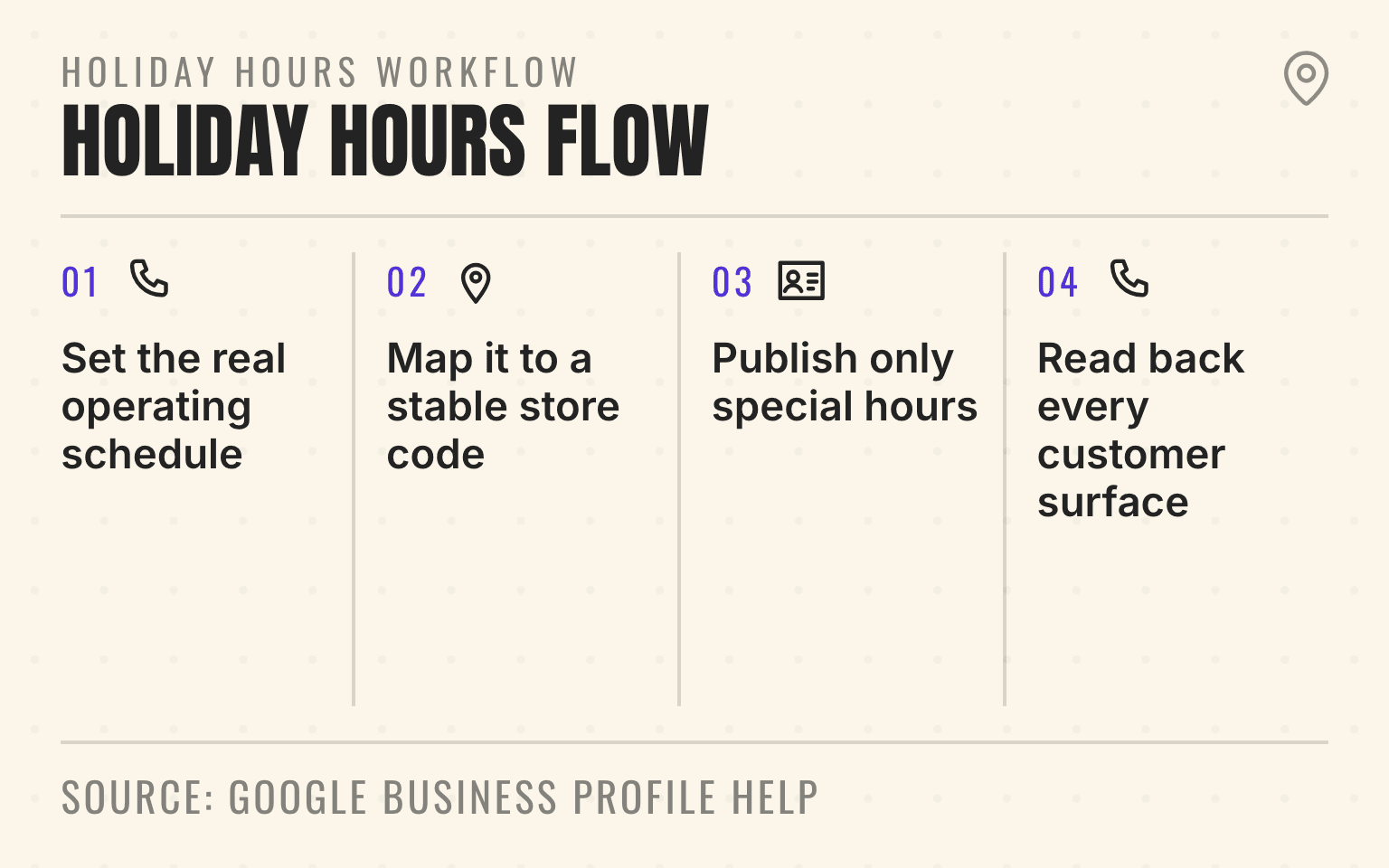
Holiday hours workflow
One approved schedule per branch
- 01Approve
Set the real operating schedule
Office, dispatch, booking, and provider availability
- 02Map
Map it to a stable store code
Keep each date attached to the correct location
- 03Upload
Publish only special hours
Avoid blank columns that can change unrelated profile data
- 04Verify
Read back every customer surface
Search, Maps, page, phone, booking, and structured data
Google Business Profile Help: Set special hours; checked September 2, 2026.
- Four-step workflow for publishing and verifying Google Business Profile holiday hours by location.
- 1. Set the real operating schedule: Office, dispatch, booking, and provider availability
- 2. Map it to a stable store code: Keep each date attached to the correct location
- 3. Publish only special hours: Avoid blank columns that can change unrelated profile data
- 4. Read back every customer surface: Search, Maps, page, phone, booking, and structured data
Corporate marketing may know which dates matter. The branch manager knows whether the office is staffed. The call center knows which queues remain open. The field team knows whether emergency work can still be dispatched. Google only sees the schedule someone finally publishes.
For a 60-location HVAC group, a single wrong status can send a customer to a closed office on New Year's Day. For a med spa group, an "open" profile can point to a booking flow with no provider availability. For a restoration brand, a closed office can coexist with a staffed emergency line. Those are three different customer promises.
Important
Treat holiday hours as a location-level operating record. Approve the real customer schedule first, publish the narrow change, align the owned sources, and read the result back from Search and Maps.
Choose the state before building the upload
Use Google Business Profile special hours for brief holiday, event, or temporary schedule changes. Google's special-hours guide says these changes can last up to six days. A separate closed-status guide says special hours can be used for seven days or less, so Google's published instructions conflict at exactly seven days. Use temporarily closed for more than seven days or when the reopening date is unknown. For an exact seven-day closure, confirm the current product workflow or ask support before publishing.
For a multi-location brand, the reliable unit of work is not "the holiday." It is one location, identified by one stable store code, with one approved customer-facing schedule for each affected date.
The operating sequence starts with approval of each location's public schedule, phone coverage, booking availability, dispatch exceptions, and reopening time. Map those decisions to stable store codes and date-specific special hours. Upload only the fields that need to change, preview the edits, align the location page and customer handoff, then check the public result after Google's review.
After publishing, run a location-level visibility check in priority markets and compare the visible result with the approved schedule. The upload is not proof that the customer sees the right answer.
Set the customer promise before touching Google
For every location and holiday, approve who answers the phone, whether a customer can book, whether a technician or provider can perform the service, whether the physical office is open, and when normal service resumes.
Those facts often diverge. An HVAC office may close while a central dispatcher accepts no-cool calls. A plumbing franchise may answer every call but limit dispatch to major leaks. A med spa may reschedule appointments while offering no treatments.
Do not compress those conditions into one broad "open" label. Special hours should carry the date-specific customer-facing schedule. The location page, phone route, and booking flow should explain limited coverage and response windows.
Choose the right Google status
Google Business Profile provides separate controls for separate situations.
Regular hours describe the normal weekly schedule.
Special hours replace regular hours on a specific date. Google recommends confirming official holiday hours even when they match the regular schedule. A location can also use special hours for a one-off event or another brief schedule change.
More hours can describe certain service-specific schedules when the profile supports the relevant hour type. They should not be used to disguise a closed customer-facing location as generally open.
Temporarily closed is the safer status when a closure will last more than seven days or the reopening date is unknown. At exactly seven days, Google's special-hours and closed-status help pages disagree, so confirm the current workflow before changing the profile. For a permanent shutdown, use the permanent-closure workflow and clean up the wider source set. The closed-location cleanup guide covers redirects, profile status, citations, and customer routing.
The distinction matters because a holiday exception has a known date and short duration. A long closure is a different operating state. Extending special hours across weeks makes the record harder for local teams to govern and less clear for customers.
Overnight schedules need extra care. Google allows a special-hours period under 24 hours to run overnight. If it begins before midnight and continues past noon the next day, split the period at midnight. Repeat any regular hours needed on the second date because that date's special hours override its regular schedule.
Bulk-update only the fields you intend to change
Google's bulk tools can reduce manual work, but they also widen the impact of a spreadsheet mistake.
Start with stable store codes. Google requires a unique code for each location and recommends keeping that code consistent when information changes. Do not use a holiday import as an opportunity to rename store codes. Google warns that adding or changing them for existing locations through a bulk upload can create duplicate locations.
Download the latest profile information before building the change. Reconcile the file against the approved operations schedule, then keep the upload narrow. For existing locations, Google's special-hours guidance says the file can contain only the store-code and special-hours columns.
That narrow scope is important. Google warns that blank columns and headings can erase existing information. An upload intended to change Christmas Eve hours should not silently replace categories, phone numbers, websites, or regular hours.
Before applying the file:
- Confirm every store code maps to exactly one active location.
- Use Google's required date and time syntax.
- Mark a full-day closure with the supported closed value rather than an invented time range.
- Split a period at midnight only when it begins before midnight and continues past noon the next day.
- Preview every change and investigate missing or duplicate store-code warnings.
- Save the approved file and the platform response as the change record.
A narrow spreadsheet entry might read "2026-12-24: 09:00-15:00, 2026-12-25: x": reduced hours on Christmas Eve and closed on Christmas Day. Keep the exact syntax aligned with Google's current template.
For a portfolio with regional operators or franchisees, keep approval local and publication controlled. A branch manager can certify the operating reality without receiving broad access to hundreds of profiles.
Next step
Is AI recommending your business?
Find out how visible you are across ChatGPT, Gemini, Perplexity, and AI Overviews.
Keep the location page, schema, phone, and booking path aligned
The Business Profile is one customer surface. It should not become the only place with the holiday answer.
Update the visible location page when the schedule materially changes the customer journey. State the affected date, customer-facing hours, phone availability, service exceptions, and normal reopening time in plain language. A customer should not need to infer whether "closed" applies to the office, the dispatch team, or every service.
Then make the machine-readable layer match the visible page. Schema.org provides "specialOpeningHoursSpecification" to override general opening hours for a specific date. Google's LocalBusiness structured-data documentation also supports the "validFrom" and "validThrough" properties for date-bounded opening hours.
Structured data is a mirror, not an excuse to hide the schedule. Keep the visible wording accurate first, then emit matching markup. The location-page content guide explains the broader branch-level source pattern, and the Service schema guide covers how to keep services attached to real location capabilities.
The phone and booking path need the same test. Call the public number during the claimed schedule. Follow the booking link. Confirm the customer reaches the right market, sees real availability, and receives a confirmation that matches the location's operating state.
Keep emergency coverage out of the hours field
A live answering service does not prove that a technician can reach every ZIP code, perform every job type, carry every part, or honor a normal response window on a holiday.
Publish the office schedule in special hours, then explain the exception in customer terms: "The office is closed on July 4. Emergency water-damage calls are answered 24/7. Crew availability and arrival times vary by service area."
The emergency-hours publishing standard covers open-now and after-hours claims in detail. Use the response-time publishing standard when the promise is how quickly a branch can answer, schedule, or arrive.
Run a public readback before customers find the error
Google reviews profile edits. Its help documentation says an edit usually takes up to 10 minutes to review, but it can take up to 30 days. The platform may show an edit as accepted, Not approved, or pending.
That makes readback part of the operating workflow.
Check every priority location in public Search and Maps from a signed-out or ordinary customer view. Confirm the date, hours, closed status, phone, website, and booking action. For bulk changes, sample every operating model and every exception. The first rows in the file are not a representative readback.
Also watch for later drift. Google says it may update Business Profile information using user reports and licensed content. The approved spreadsheet is therefore a change artifact, not a permanent guarantee. User-suggested hours now come with a four-day window to answer, after which Google may publish them if public information such as the location page supports them (what that means for multi-location teams). Use the multi-location Google update audit when a later change no longer matches the approved schedule.
The change record should name the approved schedule and owner, store code, affected date, edit timestamp, platform status, public Search and Maps readback, and any correction or escalation.
If a location remains pending, do not tell operations that the change is live. Keep the exception open until a public readback matches the approved record.
Schedule the change around the holiday
14 to 10 days before: operations approves customer-facing hours, phone coverage, booking availability, dispatch exceptions, and reopening times by location.
9 to 7 days before: the profile owner reconciles store codes, downloads current data, and prepares the narrow special-hours change.
6 to 4 days before: marketing updates material location-page notices and development verifies any date-bounded structured data.
3 days before: the profile owner previews and applies the change, then records accepted, Not approved, or pending locations.
1 day before: a local or regional owner checks the public profile, calls the number, follows the booking path, and confirms the visible location page.
1 day after: the team removes expired notices, verifies the normal schedule resumed, and records exceptions for the next holiday calendar.
This cadence gives a multi-location team time to resolve platform review or local staffing discrepancies without publishing months in advance and forgetting the record.
Sources
- Set special hours, Google Business Profile Help, no publication date. Checked September 2, 2026.
- Mark your business as closed, Google Business Profile Help, no publication date. Checked September 2, 2026.
- Import and update profiles in bulk, Google Business Profile Help, no publication date. Checked September 2, 2026.
- Store codes for bulk upload, Google Business Profile Help, no publication date. Checked September 2, 2026.
- Understand profile update status, Google Business Profile Help, no publication date. Checked September 2, 2026.
- Updates from Google, Google Business Profile Help, no publication date. Checked September 2, 2026.
- LocalBusiness structured data, Google Search Central, June 2026. Checked September 2, 2026.
- specialOpeningHoursSpecification, Schema.org, no publication date. Checked September 2, 2026.
About the author: Dylan Allen-Arnegård is the CEO and co-founder of Cheers, a local search platform that helps multi-location service brands measure and improve visibility across Google and AI search.