

Google Business Profile Help says Google may update a profile when its sources report that the information is incorrect or outdated. The help page had no publication date when checked on September 2, 2026.
Last verified: September 2, 2026.
Google's documentation says:
If sources report that your profile info is incorrect or outdated, Google may update your profile.
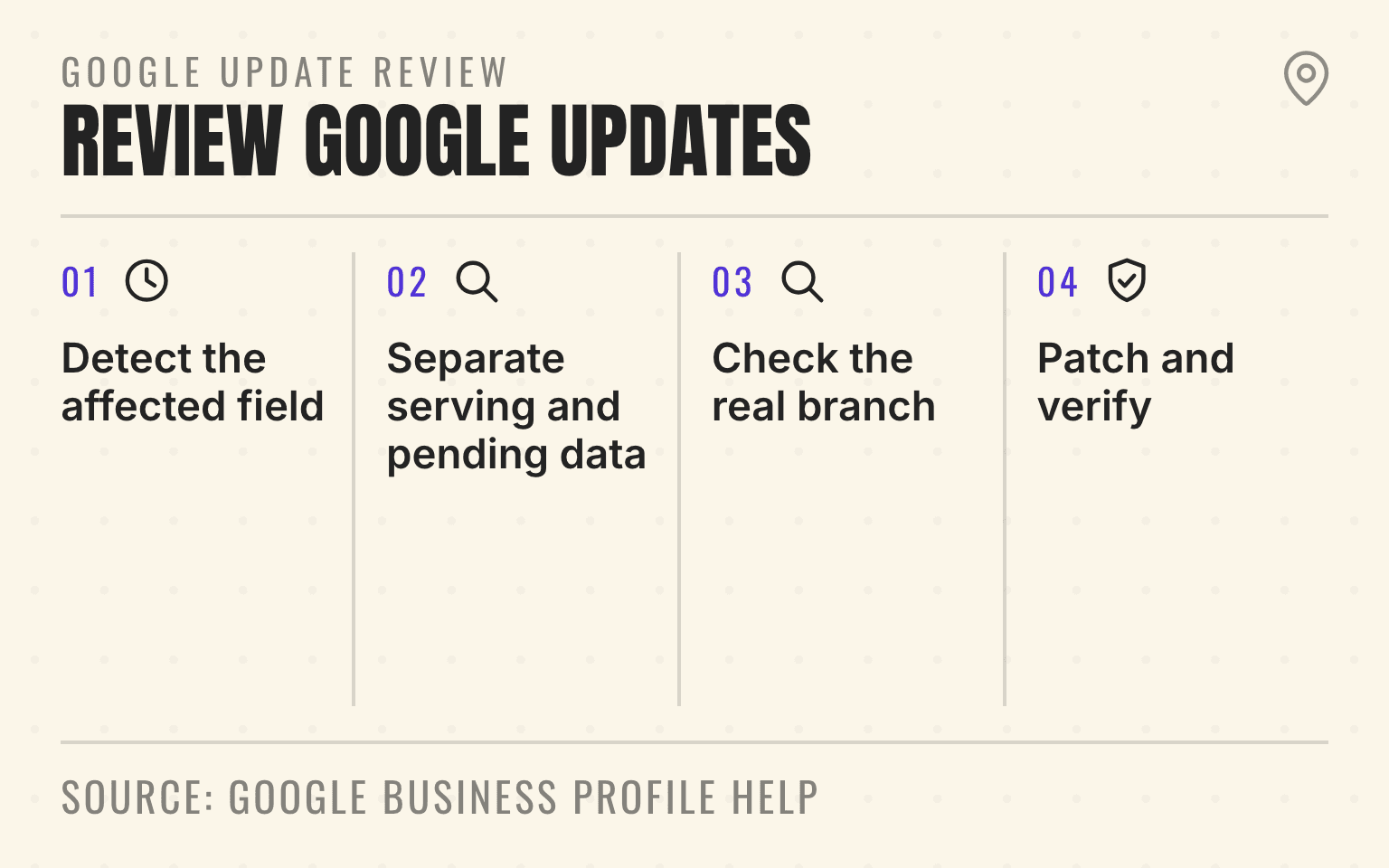
Google update review
Investigate before accepting
- 01Detect
Detect the affected field
Use the editor alert, event, or scheduled reconciliation
- 02Inspect
Separate serving and pending data
Inspect diffMask and pendingMask
- 03Decide
Check the real branch
Compare Google's value, preferred value, and operating fact
- 04Close
Patch and verify
Read back the API state and the public customer route
Google Business Profile Help: Understand Google updates on your Business Profile; checked September 2, 2026.
- Four-step Google Business Profile update review process.
- 1. Detect the affected field: Use the editor alert, event, or scheduled reconciliation
- 2. Separate serving and pending data: Inspect diffMask and pendingMask
- 3. Check the real branch: Compare Google's value, preferred value, and operating fact
- 4. Patch and verify: Read back the API state and the public customer route
That does not automatically mean the account was hacked. Google says it compiles Business Profile information from public web content, licensed data, user contributions, information supplied by owners, and its own interactions with a place. When those sources indicate that a field is wrong or outdated, Google may change what appears in Search and Maps.
The operating risk grows with every location. One unexpected update can send a customer to a closed office. A portfolio-wide update can break phone routing, hours, categories, website destinations, or branch reporting across dozens of markets.
For a multi-location team, the answer is a change-control system: detect the update, compare it with the approved branch record, decide field by field, and verify the public result. If the portfolio does not have a current outside-in baseline, check how priority locations appear before changing the source records.
Important
Treat a Google update as a discrepancy to investigate, not an edit to accept or reject on instinct. The right value is the one that matches the real branch and its current customer route.
First separate a Google update from a pending merchant edit
Google's Business Profile update help page says changed fields appear in blue in the profile editor and a notification appears at the top when updates are available. It also warns that not every Google update can be managed through the Business Profile interface.
The API gives larger portfolios a more exact distinction. Google's manage Google updates guide documents two field masks. The diffMask identifies serving data, the information customers currently see in Search and Maps, that differs from the merchant's preferred value. The pendingMask identifies an edit the merchant already submitted that is still processing.
Those states require different responses. A diffMask needs a decision. A pendingMask usually needs monitoring, not another edit. Repeatedly patching a field that is still processing can make the incident harder to reconstruct.
Create one discrepancy record with the location ID, store code, field, approved value, public value, source of detection, time found, last editor if known, and decision owner. Do not collapse a 40-location event into a note that says "Google changed hours." The team needs to know which hours, at which branches, and what customers could see.
Compare the update with a canonical branch record
The central record should describe the branch that exists today: real-world name, address or service area, phone route, website destination, regular hours, special hours, primary category, approved additional categories, services, business status, Business Profile ID, and store code.
This record is not useful if it is just another export from Google. Operations should approve the customer-facing facts. Marketing should own the public destinations and naming standards. The team responsible for phones, booking, or dispatch should verify the routes.
A plumbing rollup, for example, may have a corporate call center for 30 branches but location-specific tracking numbers in Business Profiles. When Google proposes a different number, the central team should test both routes before choosing a value. A med spa group may discover that the hours on a clinic page describe the front desk while the profile hours describe treatment availability. The issue is not which source is more authoritative in theory. The issue is which promise the location can honor.
The multi-location record cleanup guide covers the wider source inventory. For this incident, reduce that work to the affected branch and field so the correction can be verified.
Triage changes by customer risk
Not every changed field deserves the same response time. This priority order is a Cheers operating recommendation, not a Google ranking formula:
- Immediate review: business status, name, address, phone, website, regular hours, special hours, and any field that can send a customer to the wrong place or make an open branch appear closed
- Same-day review: primary category, important additional categories, service area, booking links, and customer routes that affect whether the right branch is presented for the right job
- Scheduled review: descriptions, attributes, secondary details, and other fields that should be accurate but do not immediately break a customer handoff. Route generated copy through the AI Business Profile description review before approval.
An emergency plumbing branch showing "closed" on a Saturday needs faster action than a non-material description edit. A roofing office whose phone now routes to a former acquisition seller needs faster action than an extra attribute. Record the reason for the priority so local managers understand why some changes move ahead of others.
Do not use urgency as permission for broad edits. A wrong phone number is no reason to change the name, categories, hours, and website in the same incident. Keep the update mask, spreadsheet, or manual edit as narrow as the discrepancy.
Review updates in the interface or at portfolio scale
Smaller teams can review Google updates in Search or Maps. Turn on Business Profile account and business-information notifications, then assign an accountable owner rather than sending every alert to an unattended shared inbox. Google's notification help says notifications can cover account updates, business information alerts, reviews, photos, bookings, and requests.
Spreadsheet users need extra care. Google says the current file should be imported before the team manages updates. If a field is unchanged from the last upload, Google ignores it. If the field changes, the uploaded value replaces the previous and updated values. If the field is blank, an automatic update may apply.
That behavior makes blank cells risky. Export the current portfolio, join it to the canonical branch record by stable store code, and upload only the fields the team intends to change. The holiday-hours guide shows how narrow files and public readback protect date-specific changes.
Technical teams can use Google's Business Information and Notifications APIs. The Notifications API can publish GOOGLE_UPDATE events through Cloud Pub/Sub. The multi-location notification workflow explains how to make those events duplicate-safe, match them to a branch, and verify the public result. The location resource exposes hasGoogleUpdated, and getGoogleUpdated returns the proposed serving value plus diffMask and pendingMask. API access still depends on the right Business Profile permissions and does not bypass Google's quality review or policies.
For a 200-location franchise, that supports a real queue instead of a weekly manual sweep. The event identifies the affected location. The API response identifies the field. The internal branch record supplies the approved value. A human or reviewed rule decides whether to accept, reject, or escalate.
Next step
Is AI recommending your business?
Find out how visible you are across ChatGPT, Gemini, Perplexity, and AI Overviews.
Accept, reject, or escalate field by field
Accept the update when it matches the real operation. If a pest control branch permanently changed its number and the proposed value reaches the correct dispatcher, the portfolio record and owned pages should also be updated.
Reject the update when the branch's approved value remains correct. Google's API guide says rejecting an update means patching the location with the original preferred value. Accepting means patching the location with Google's proposed value. In both cases, the update mask should cover only the fields being resolved.
Escalate when the public value, preferred value, and real operation do not resolve the discrepancy. That can happen after an acquisition, move, rebrand, call-routing change, or temporary closure. The Business Profile access guide should be checked before escalation if the team cannot identify an accountable owner or manager.
For API incidents, Google asks support requests to include the getGoogleUpdated response before the patch, the patch request, and the getGoogleUpdated response after it. Keep those artifacts with the incident rather than relying on screenshots without the field masks.
Verify what customers see after the correction
A successful save or API response is not the end of the incident. Google's API guide recommends checking that diffMask is empty and hasGoogleUpdated is false or absent. The operator should also inspect the live profile in Search and Maps.
Test the customer path attached to the field. Call the phone number. Load the website and booking destination. Check the pin and address from a customer device. Confirm regular and special hours. Search the branch name and a priority service query. Record the time and the public result.
Google Search Central says local business information in Business Profiles can help products and services appear in AI responses and other Search results. That does not mean correcting one field guarantees an AI recommendation. It means the live local record is one source Google explicitly tells businesses to maintain.
Close the incident only when the approved record, public profile, owned location page, and customer route agree. If another source still publishes the wrong fact, assign that source as a separate cleanup task instead of declaring the profile fixed everywhere.
Give the portfolio one operating cadence
Central marketing should own the Business Profile standard and update queue. Operations should approve facts that depend on staffing, hours, service coverage, and branch status. IT or revenue operations should verify phone, booking, website, and API routes. Local managers should report real changes through one intake path, not make untracked edits from personal accounts.
The cadence should fit the risk. Profiles with emergency hours, acquisition transitions, seasonal schedules, or recent moves need closer monitoring. Stable locations can move to exception-based alerts plus a periodic sample. A quarterly audit alone is too slow for a phone number that changed yesterday.
Use this 14-day rollout for the first portfolio control loop:
- Days 1 through 3: Export the profile inventory, join it to store codes and Business Profile IDs, assign field owners, and confirm notifications reach an accountable team
- Days 4 through 7: Build the canonical branch record, classify open discrepancies, and define immediate, same-day, and scheduled response targets
- Days 8 through 11: Pilot the accept, reject, escalate, and public-readback workflow on five locations with different risk profiles
- Days 12 through 14: Fix the gaps in ownership or evidence, document the recurring cadence, and expand the queue without allowing unattended bulk edits
The system is ready when any unexpected update can answer five questions: which location changed, which field changed, what customers see, what the approved value is, and who will verify the final result.
For contact-channel changes, the WhatsApp setup guide for multiple locations explains channel selection, shared inboxes, and branch routing.
Sources
- Understand Google updates on your Business Profile, Google Business Profile Help, no publication date. Checked September 2, 2026.
- Manage Google updates, Google Business Profile APIs, August 2026. Checked September 2, 2026.
- Manage real-time notifications, Google Business Profile APIs, August 2026. Checked September 2, 2026.
- How Google sources and uses Business Profile information, Google Business Profile Help, no publication date. Checked September 2, 2026.
- Edit your Business Profile, Google Business Profile Help, no publication date. Checked September 2, 2026.
- Manage your notifications, Google Business Profile Help, no publication date. Checked September 2, 2026.
- AI features and your website, Google Search Central, July 2026. Checked September 2, 2026.
Dylan Allen-Arnegård is the CEO & Co-Founder of Cheers, the local search platform for multi-location service businesses.