

Google's Business Profile notification guide, updated August 28, 2026, says profile events are published to a Cloud Pub/Sub topic. That event should start a location-bound incident, not an automatic overwrite.
Last verified: September 2, 2026.
Google's documentation says:
The My Business Notifications API publishes notifications to the Cloud Pub/Sub topic.
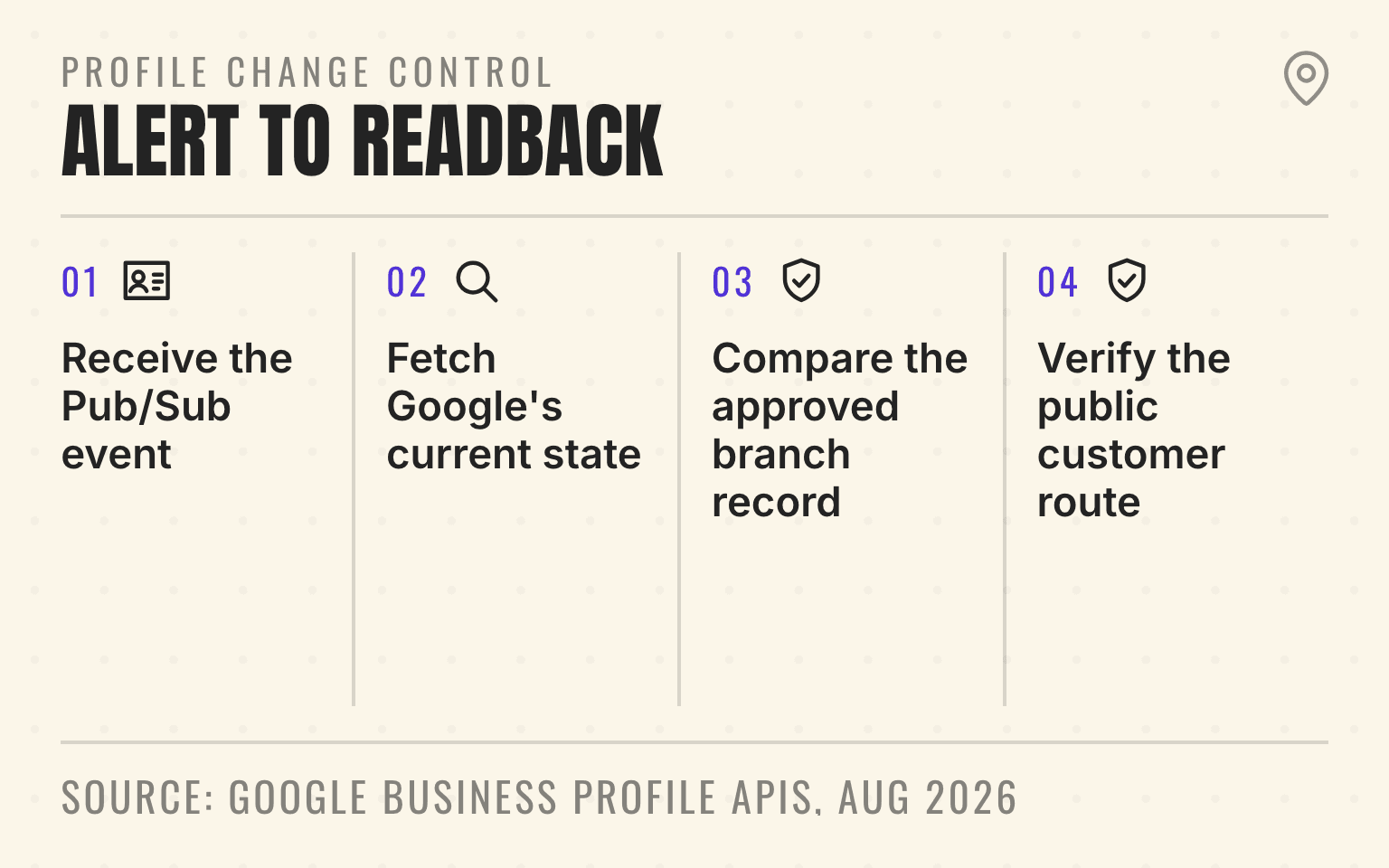
Profile change control
An alert starts the investigation
- 01Trigger
Receive the Pub/Sub event
Bind the account, location resource, event type, and receive time
- 02Evidence
Fetch Google's current state
Inspect diffMask and pendingMask before deciding
- 03Decision
Compare the approved branch record
Ask the field owner which value describes the real operation
- 04Close
Verify the public customer route
Read back Search, Maps, phone, page, booking, or hours
Google Business Profile APIs: Manage real-time notifications, updated August 28, 2026; checked September 2, 2026.
- Four-step flow from a Google Business Profile notification to a verified public readback.
- 1. Receive the Pub/Sub event: Bind the account, location resource, event type, and receive time
- 2. Fetch Google's current state: Inspect diffMask and pendingMask before deciding
- 3. Compare the approved branch record: Ask the field owner which value describes the real operation
- 4. Verify the public customer route: Read back Search, Maps, phone, page, booking, or hours
Cloud Pub/Sub solves the alerting problem. It does not decide whether a changed phone number, category, address, or set of hours is correct. That decision belongs to the operating team that knows the location and can test the customer route.
Important
Treat a notification as evidence that a location needs inspection. Do not treat it as a complete change record or permission to overwrite the profile.
This guide covers the technical control loop behind the broader multi-location Business Profile update audit. It is written for teams that manage profiles through several accounts, agencies, or acquired brands and need one accountable queue.
What the event can and cannot tell you
Google's real-time notification guide uses Cloud Pub/Sub to deliver Business Profile events. The Notifications API supports types including GOOGLE_UPDATE, DUPLICATE_LOCATION, VOICE_OF_MERCHANT_UPDATED, NEW_REVIEW, and UPDATED_REVIEW.
A GOOGLE_UPDATE message identifies the affected location through its resource name. That is enough to start work on the right record. The event does not contain the branch's approved value, the business reason for the change, or proof that the public customer path works.
Consider a 60-location HVAC group. An event arrives for a branch whose regular hours changed. The central system can identify the Google location resource immediately. It still needs the branch schedule, holiday exception, dispatch coverage, and location-page hours before a person can choose a value.
The useful design is event to evidence to decision to readback. Teams that need the wider operating layer can review Cheers' multi-location local SEO approach.
Next step
Is AI recommending your business?
Find out how visible you are across ChatGPT, Gemini, Perplexity, and AI Overviews.
Start with the account boundary
Google documents one NotificationSetting per Business Profile account. Each setting points to one Pub/Sub topic and names the notification types the account should publish.
That account boundary matters after acquisitions. A parent company may own 40 profiles in its main business group, while ten acquired branches remain in two seller-controlled accounts and an agency manages five more. Configuring the parent account does not create coverage for the others.
Build the coverage register before enabling events. For every active location, record the Business Profile account, location resource name, Business Profile ID, Place ID, internal store code, current access owner, subscription, and incident owner. The Google location identifier guide explains why those identifiers have different jobs.
Google's Business Profile API setup guide requires an approved Cloud project, enabled Business Profile APIs, OAuth 2.0 credentials, and authorized users. Google provides no sandbox. Use one low-risk production account first and assume every test can touch a live profile.
The setup also requires granting the Business Profile publisher service account permission to publish to the topic. Call accounts.updateNotificationSetting with the business.manage OAuth scope, then read the setting back. Repeat the configuration for every account in the coverage register.
Make the subscriber safe for duplicate delivery
Google Cloud says Pub/Sub subscriptions use at-least-once delivery by default. A worker can receive the same event again when an acknowledgement is lost, its deadline expires, or processing fails. Duplicate delivery is normal infrastructure behavior.
Create an idempotent incident key from the account, location resource, notification type, and a bounded observation window. If a duplicate arrives, update the existing incident and fetch current state again. Do not open a second task or apply the same patch twice.
Persist the event before acknowledging it. The durable record should contain:
- the account, location resource, notification type, receive time, and message identifier
- the matched store code, branch owner, risk level, and current incident state
- the fetched profile state, decision, approver, attempted write, and verification evidence
- retry count, last error, dead-letter state, and next reconciliation time
Use a dead-letter topic for messages that repeatedly fail. Keep a scheduled catch-up job too. A subscription, permission, or worker can fail without a new event arriving to announce the gap.
Resolve the branch before inspecting the field
The notification's locationName should join to one canonical branch record. Do not match on display name. Acquired brands reuse names, franchise locations add market labels, and service-area businesses may have no public street address.
Route unmatched resource names to an access and identity queue. A worker that guesses the branch can send a med spa hours change to the wrong clinic or attach a garage-door profile incident to a nearby service territory. The Business Profile access guide covers the account and business-group cleanup that should happen before automation expands.
Once the join succeeds, enrich the incident with the approved customer-facing record. That should include the real-world name, address or service area, phone route, website destination, regular and special hours, categories, services, business status, and the people authorized to approve each field.
Risk belongs to the field and the operating context. A changed phone, website, address, hours, or business status can break a customer handoff now. A changed description may wait for the content owner. Keep each incident narrow so an urgent phone correction does not become an unreviewed profile rewrite.
Fetch the current state before deciding
For GOOGLE_UPDATE events, use locations.getGoogleUpdated after the notification arrives. Google's response includes the Google-updated Location plus two field masks.
The diffMask identifies fields where Google's updated location differs. The pendingMask identifies fields with pending edits. Google's accept-or-reject guide tells developers to inspect both, because a pending merchant edit can exist alongside a Google update.
This is where a thin alerting tool often fails. It says "hours changed" but does not fetch the current value, preserve the preferred value, or show that another edit is pending. The operator cannot tell which state the alert describes.
Store the fetched state with its observation time. Then ask the accountable branch owner a concrete question. If a restoration branch appears closed, can the dispatch team accept emergency calls? If a franchise profile has a different website, does that destination preserve the location through the form and booking path? If a category changed, does the location actually provide that primary service?
The API response is evidence for the decision. It is not a substitute for the operation the profile describes.
Keep approval and public verification separate
Accept the Google-updated value when it matches the real location. Restore the preferred value when the approved branch record remains correct. Escalate when neither value describes the current operation, which often happens during moves, rebrands, closures, and acquisition transitions.
Record the old value, Google-updated value, approved value, field mask, approver, reason, and exact write attempt. Google asks support cases about update problems to include getGoogleUpdated results before and after the patch, so preserve those artifacts with the incident.
After the write, fetch the location again. Google's guide recommends verifying that diffMask is empty and that hasGoogleUpdated is false or absent. Then test the public profile in Search and Maps as a customer would.
Public readback should match the changed field. Call the phone. Open the location page and booking link. Check the map pin from a customer device. Compare regular and special hours at opening time. An HTTP success response cannot prove any of those outcomes.
Measure coverage and resolution separately
A green subscriber can still miss part of the portfolio. Report event coverage by Business Profile account and active location, then reconcile the register against the locations each authorized user can access.
Resolution needs a separate scorecard. Track time from receipt to branch match, match failures, incidents without an owner, time to approved decision, write errors, unresolved diffMask or pendingMask fields, failed public readbacks, and repeat incidents for the same field. Keep time to decision on user-suggested edits well under four days, because Google now says it may publish a suggestion nobody answers in that window (how the four-day rule works).
Google documents a default Notifications API quota of 300 queries per minute when access is granted. A zero quota means the project lacks approved access. Spread reconciliation calls, back off after RESOURCE_EXHAUSTED responses, and avoid turning one event into an uncontrolled portfolio-wide fetch.
Start with one account and ten locations. Run the subscriber without writes until branch matching and state capture are reliable. Then permit narrow, approved corrections for one low-risk field. Expand only when every location in the pilot has an owner, every processed event has a durable record, and every write has a public readback.
The last question for each incident is simple: can the team prove what changed, who decided, and what the customer sees now? If any part is missing, the incident is still open.
Sources
- Manage real-time notifications, Google Business Profile APIs, August 2026. Checked September 2, 2026.
- NotificationSetting, Google Business Profile API, November 2025. Checked September 2, 2026.
- updateNotificationSetting, Google Business Profile API, November 2025. Checked September 2, 2026.
- Accept or reject Google updates, Google Business Profile APIs, August 2026. Checked September 2, 2026.
- getGoogleUpdated, Google Business Profile API, November 2025. Checked September 2, 2026.
- Basic setup, Google Business Profile APIs, August 2026. Checked September 2, 2026.
- Usage limits, Google Business Profile APIs, August 2026. Checked September 2, 2026.
- Pub/Sub subscription best practices, Google Cloud, no publication date. Checked September 2, 2026.
Dylan Allen-Arnegård is the CEO & Co-Founder of Cheers, the local search platform for multi-location service businesses.