

Google Maps Platform defines Place IDs as identifiers for places in its Places database and Maps, while Google Business Profile Help assigns different jobs to Business Profile IDs and merchant-created store codes. Google's Place ID documentation was updated September 1, 2026.
Last verified: September 2, 2026.
Google's documentation says:
A place ID is a textual identifier that uniquely identifies a place.
Location identifier crosswalk
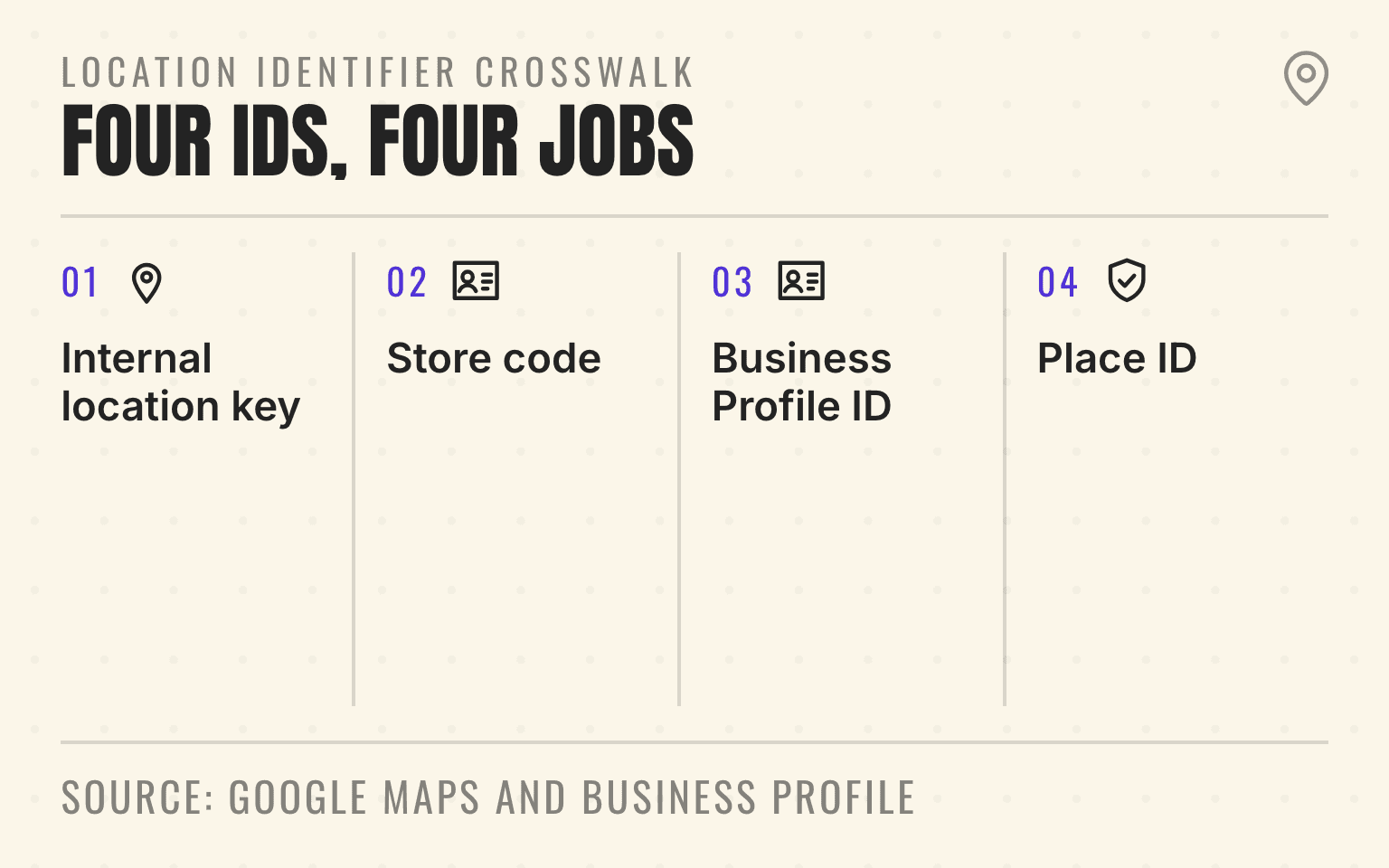
Four IDs, four jobs
- 01Internal
Internal location key
The stable branch record your systems control
- 02Bulk
Store code
Merchant-created key for bulk profile management
- 03Support
Business Profile ID
The managed listing identifier shared with support
- 04Maps
Place ID
The identifier used by Maps and the Places database
Google Maps Platform: Place IDs, updated September 1, 2026; Google Business Profile Help: Advanced profile settings; checked September 2, 2026.
- Flow showing the different jobs of an internal location key, store code, Business Profile ID, and Place ID.
- 1. Internal location key: The stable branch record your systems control
- 2. Store code: Merchant-created key for bulk profile management
- 3. Business Profile ID: The managed listing identifier shared with support
- 4. Place ID: The identifier used by Maps and the Places database
That distinction matters when one person prepares a bulk upload, another opens a suspension case, and a developer builds a Maps link. A store code tells the merchant which branch a spreadsheet row belongs to. A Business Profile ID tells Google support which managed listing needs attention. A Place ID tells Google Maps and Places which place to retrieve or open.
Multi-location teams should keep those identifiers in one location crosswalk and assign each one a specific job. Otherwise, the same branch can be corrected under the wrong listing, linked to an obsolete Maps record, or duplicated during a spreadsheet upload.
Important
Google does not publish one permanent master ID for every Business Profile workflow. Store the store code, Business Profile ID, Place ID, and any API resource name separately. Never assume that one can be reconstructed from another.
Once the crosswalk is clean, check whether each priority branch appears under the right customer queries. Identifier hygiene does not create visibility by itself, but it keeps measurement and corrective work attached to the real location.
The identifiers answer different questions
The fastest way to avoid confusion is to define each identifier by who assigns it, where it is used, and what can cause it to change.
A store code is the merchant's bulk-management key
Google's store code guidance says each location in a bulk upload needs a unique store code. The merchant chooses the value. Google uses it to apply spreadsheet changes to the intended Business Profile, and it is not shown to customers.
A store code should be boring and controlled. A 75-location HVAC group might use an internal pattern such as BRAND-PHX-014, provided every profile has a unique value and the master location record preserves the assignment. Do not use a manager's name, a temporary office note, or another fact that changes during routine operations.
Google also warns that adding or changing a store code for an existing profile through a spreadsheet can create a duplicate location. Change an existing store code through Business Profile Manager, update the internal record at the same time, and use the same code in later uploads.
A Business Profile ID is the managed listing reference
Google's Advanced settings guide describes the Business Profile ID as the unique identifier for the listing and says it can be shared with Google support. Owners and managers can find it in Business Profile settings under Advanced settings.
This is the ID to capture before an appeal, verification dispute, ownership recovery, or support escalation. A screenshot of a public profile name is not enough for a portfolio with repeated brand names. The support ledger should include the Business Profile ID, public profile URL, internal location key, current owner, and case number.
A Place ID is the Maps and Places identifier
Google's Place ID documentation says a Place ID identifies a place in the Google Places database and Google Maps. Place IDs can be used across the Places API, Maps URLs, Maps Embed API, Geocoding API, and other Maps Platform services.
The important caveat is easy to miss. Google says the same place can have multiple Place IDs and that Place IDs may change over time. A Place ID is therefore a durable Maps reference that can be stored, but it should not be treated as an immutable business key.
For customer-facing map links, Google's Maps URL guidance says a Place ID is the best guarantee that a link opens the intended establishment. Pair it with the business name or address in the query parameter so the URL has a readable fallback.
An API location resource belongs to the account hierarchy
Technical teams may also encounter the Business Profile API location resource name. Google's Location resource documentation shows a value shaped like accounts/{accountId}/locations/{locationId}. The same resource includes a storeCode field that the merchant uses to associate Google's location with internal records.
Treat that API resource name as a separate integration identifier. Do not label it Place ID in a warehouse or assume it will serve the same Maps-link job.
Build one location crosswalk before the next bulk change
The crosswalk should live in the system that already governs branch openings, moves, closures, and acquisitions. That may be a controlled location database, an ERP location table, or a reviewed spreadsheet. It should not exist only inside an agency export.
At minimum, keep:
- Internal location key and operating status
- Store code and the account or business group that contains it
- Business Profile ID and current primary owner
- Current Place ID, date captured, and the search used to retrieve it
- Business Profile API resource name when an integration uses one
- Canonical location-page URL and public Business Profile URL
- Previous identifiers with effective and retired dates
The internal location key should remain the join point. Google identifiers become attributes of that record. This structure lets finance call a branch PHX-014, Google use a different Business Profile ID, and the website use a Place ID without three teams inventing separate versions of the location.
The Business Profile access guide should supply the accountable owner and business group fields. The bulk-verification guide covers the account and eligibility work that comes before a portfolio upload.
Next step
Is AI recommending your business?
Find out how visible you are across ChatGPT, Gemini, Perplexity, and AI Overviews.
Use each identifier for one job
The IDs become easier to manage when the runbook names the identifier required for each task.
Bulk spreadsheets use store codes
Google's bulk import guide says to download the latest location information, use the same store codes for existing locations, include only the fields being changed, preview the proposed changes, and fix duplicate or missing codes before applying the file.
If a spreadsheet preview shows more new businesses than expected, stop. Google says that can mean the codes no longer match the existing records. Do not apply the upload and plan to merge duplicates later.
Support cases use Business Profile IDs
When support asks for the Business Profile ID, send that field from Advanced settings. Add the internal location key and public profile URL so the company can reconcile the case, but keep the requested Google identifier explicit.
This is especially useful after an acquisition. The seller may call a profile "Denver North" while the buyer calls it "Branch 042." The Business Profile ID anchors the support case to the managed listing while the crosswalk connects both internal names to the same operating branch. The ownership transfer workflow covers the access sequence around that record.
Maps links and Places integrations use Place IDs
Use the current Place ID when a location finder, directions link, embedded map, or Places integration needs to target one establishment. Test the link from a signed-out browser and a mobile device before publishing it across every location page.
Do not use a Place ID as the only proof that a branch remains open or eligible. Google says obsolete IDs can return NOT_FOUND after a business closes or moves, and database updates may assign a different ID. The operating status still comes from the real branch and its approved public records.
Place IDs need a refresh rule
Google recommends refreshing stored Place IDs when they are more than 12 months old. An ID-only Place Details request can perform that refresh, and Google says Place IDs are exempt from normal caching restrictions.
An annual refresh is the floor, not the only trigger. Recheck the Place ID after a move, closure, duplicate merge, material rebrand, or support event that changes which Maps record represents the business. Store the search or lookup method used to obtain the ID so a technical team can reissue it if Google returns NOT_FOUND.
This corrects a common assumption in local listings software: a Place ID is useful and storable, but Google's own documentation does not promise that it never changes. A portfolio database should preserve old values for audit history while marking one current value for customer links and integrations.
Moves and acquisitions change the crosswalk
A move is where identifier rules can appear to conflict. Google says a store code should stay consistent when it refers to a location, but its bulk spreadsheet field guide also instructs businesses to replace the old code with a new one when a business moves to a new location. Follow the move-specific instruction, preserve the old-to-new relationship internally, and do not recycle the retired code for another branch.
The Business Profile itself may continue through the move, while the Place ID may change or become obsolete. Capture the Business Profile ID before the address edit, document the old Place ID, and verify the new public record after reverification. The Google Business Profile address-change guide covers the wider migration across reviews, pages, citations, and customer routes.
For an acquisition, map seller identifiers before moving profiles into buyer-controlled groups. The buyer's internal location key can change without changing the Google listing. Keep both the legacy key and the buyer key in the crosswalk until support cases, location pages, review reporting, and API integrations have been read back.
Keep identifiers out of public optimization claims
Store codes, Business Profile IDs, and Place IDs are routing and reconciliation tools. Google does not say that a clever store code improves rankings, that publishing a Place ID improves AI visibility, or that an API resource name creates entity authority.
The value is operational. Correct identifiers help a team update the intended profile, open a support case for the right listing, send a customer to the right Maps place, and group location-level measurement correctly. They reduce self-inflicted source conflict.
Public visibility still depends on the facts attached to the location: its eligible Business Profile, accurate service and contact information, useful location page, reviews, citations, and proof that matches the real operation. Identifiers keep those signals joined to the right branch.
Run a 30-day identifier cleanup
Use one controlled pass before the next acquisition, agency transition, or portfolio-wide profile update:
- Days 1 to 5: Export the current Business Profiles, assign one accountable internal location key to each live branch, and quarantine rows that cannot be matched confidently.
- Days 6 to 12: Capture store codes, Business Profile IDs, owners, groups, public URLs, current Place IDs, and API resource names where used. Keep raw credentials and recovery data out of the crosswalk.
- Days 13 to 20: Test Maps links, inspect duplicate and moved-location exceptions, and compare the crosswalk with location pages, call routes, and the operating branch roster.
- Days 21 to 30: Approve the current mappings, archive retired identifiers, assign annual Place ID refreshes, and require change records for moves, closures, acquisitions, and store-code edits.
The finish line is not a complete spreadsheet. It is the ability to pick any branch and prove which Google identifier belongs in a bulk upload, support case, Maps link, and integration.
Sources
- Place IDs, Google Maps Platform, September 2026. Checked September 2, 2026.
- Advanced profile settings, Google Business Profile Help, no publication date. Checked September 2, 2026.
- Add and manage store codes, Google Business Profile Help, no publication date. Checked September 2, 2026.
- Import and update profiles in bulk, Google Business Profile Help, no publication date. Checked September 2, 2026.
- Create a bulk upload spreadsheet, Google Business Profile Help, no publication date. Checked September 2, 2026.
- Maps URLs, Google Maps Platform, October 2025. Checked September 2, 2026.
- Location resource, Google Business Profile API, August 2025. Checked September 2, 2026.
Dylan Allen-Arnegård is the CEO & Co-Founder of Cheers, the local search platform for multi-location service businesses.