

Google published guidance for this in April 2026, and the advice is almost aggressively unglamorous. From "Build agent-friendly websites" on web.dev, updated April 1, 2026:
Agents that take screenshots will likely be confused if your website layout is constantly shifting.
That is the level the problem actually sits at. Not prompt engineering, not an AI-only endpoint: layout stability, real button elements, labelled fields. So yes, an AI agent can book a plumbing estimate or an HVAC tune-up from your site, in some cases, and only when the site already works for people, crawlers, and screen readers. Agent readiness is a byproduct of clean location pages, accessible forms, structured business facts, and booking flows that do not hide the important steps behind fragile interfaces.
Important
If a customer has to guess which location serves them, which service to pick, or whether the form actually submitted, an AI agent will likely struggle with the same path.
For multi-location service brands, this is a website quality problem and an operations problem. The agent has to know which branch serves the job, what service the customer needs, what hours or booking rules apply, and what action completes the request.
The short answer for service brands
An AI agent can only act on what the website makes available. Official OpenAI and Anthropic documentation both describe computer-use systems that interact with graphical interfaces through browser-like actions, screenshots, tools, and user-controlled steps. Google's guidance for AI features in Search still points back to ordinary site fundamentals: helpful content, crawlable pages, and clear business details.
That means the useful question is not "how do we optimize for agents?" It is "can a customer, crawler, screen reader, and agent all understand the same booking path?"
A good booking path answers four local questions before it asks for a form submission: which location or service area handles the job, which service is available, how the customer should contact the business, and what happens after the request is sent.
Google also documents a separate phone-based route that can contact a local business for a customer. The Google automated-call operating guide covers the branch script, settings, and readback for that lane.
OpenAI now documents another distinct lane: a beta ChatGPT Get Quote flow for home services that can open an approved provider's quote-request experience for an eligible local-business record. It requires a configured partner plugin and should not be confused with general browser-based booking.
For the broader local-search context, read How Google AI Mode Changes Local Leads. For the page-level foundation, use What Should Location Pages Include for AI Search.
Why agent readiness matters by location
A single-location business can often fix one booking page and one phone number. A 50-location service brand has a harder problem. The brand may have multiple dispatch markets, acquired companies, call centers, tracking numbers, franchise owners, service-area boundaries, and forms that route to different teams.
An AI agent trying to help a customer does not start with your internal org chart. It starts with a task: "book an emergency plumber near Plano," "schedule a waxing appointment in Scottsdale," or "find a same-day AC repair company in Henderson." If your website gives the same generic booking form for every market, the agent has to infer details that should be explicit.
This is where multi-location brands often lose clarity. A page may say "book online" but fail to show whether the location serves the customer's ZIP code. A form may ask for "service" but use internal option names. A phone number may differ between the location page, Google Business Profile, and the booking widget. A confirmation screen may appear visually but never expose a clear success message in the page state.
The fix is not to create an agent-only tunnel. The fix is to make the real customer path legible.
What an agent needs before it can complete a booking
The booking path should expose the same facts a dispatcher would ask for on a call.
- The serving location, branch, franchisee, or service area
- The available service line and any emergency, after-hours, financing, or eligibility rule
- A stable phone number, booking URL, and form path for that location
- Clear labels for every required field, including name, contact method, address or ZIP code, service type, preferred time, and notes
- A confirmation state that says what happened and what the customer should expect next
This list is intentionally plain. The biggest failures are usually not advanced AI problems. They are local business facts hidden in JavaScript, labels that only make sense visually, buttons with vague text, forms that reset without a clear success state, and location pages that do not match the booking widget.
W3C's form accessibility guidance is useful here because the rule it states is durable and has nothing to do with AI:
Provide labels to identify all form controls, including text fields, checkboxes, radio buttons, and drop-down menus.
That helps people using assistive technology. It also leaves a browser-based agent less to infer when it inspects and operates the page.
Your own site is the surface the agent lands on
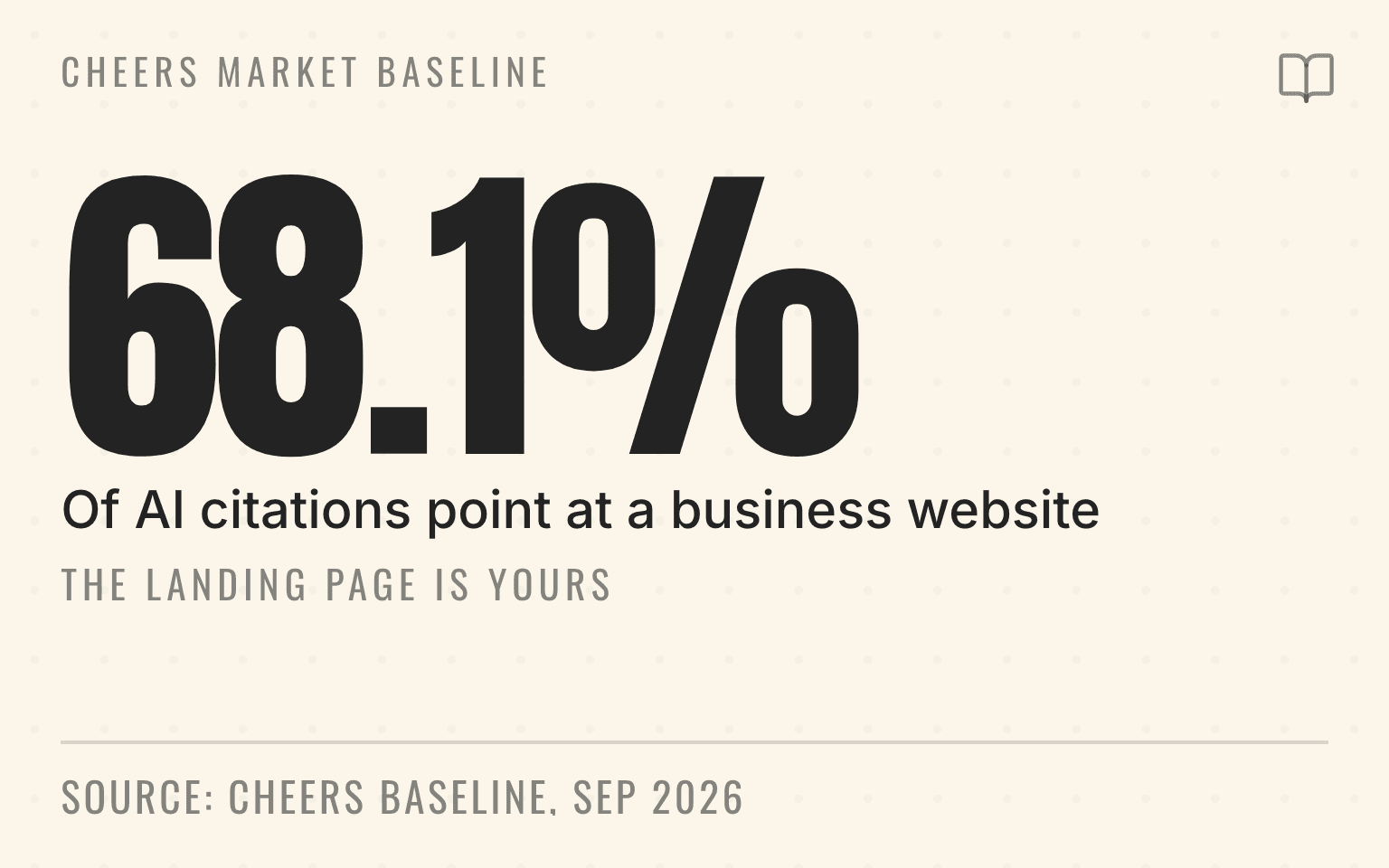
We can put a number on how much of this rides on the website itself. The Cheers Market Baseline runs 32 home-services prompts across 100 metro service areas on four engines. Over the 28 days ending September 2, 2026, that produced 356,019 citations, and 68.1% of them pointed at a business or contractor website rather than a directory, a review platform, Google, or social. Directories took 23.0%. Google itself took 3.3%.
Cheers Market Baseline
The landing page is yours
68.1%
Of 356,019 citations pointed at a business website
23.0%
Directories
3.3%
2.8%
Social and forums
Cheers Market Baseline, 28 days ending September 2, 2026: 32 home-services prompts across 100 metro service areas on four engines, 356,019 citations, classified by domain, aggregate only. Methodology at cheers.tech/research/methodology.
| Finding | Value | Base |
|---|---|---|
| Of 356,019 citations pointed at a business website | 68.1% | Stated in the source |
| Directories | 23.0% | Stated in the source |
| 3.3% | Stated in the source | |
| Social and forums | 2.8% | Stated in the source |
The engines split on this. Gemini sent 80.7% of its citations to business sites; ChatGPT sent 48.8% and leaned much harder on directories at 44.7%. Either way, the page a customer or an agent lands on after an AI answer is usually a page you own and control, which makes the booking flow on it your problem rather than a platform's. The full breakdown by engine and metro is in the home services AI visibility index, with definitions in the research methodology.
Next step
Is AI recommending your business?
Find out how visible you are across ChatGPT, Gemini, Perplexity, and AI Overviews.
Where booking flows usually break
The most common break is the handoff from a location page to a generic scheduling tool. The location page may describe "Phoenix AC repair," but the booking widget opens a national form with no visible Phoenix context. A person can often recover by reading around the page. An agent may not know whether the selected branch carried through.
The second break is hidden routing logic. If a service-area brand routes by ZIP code, the page should say that. If only some services are bookable online, the page should say that too. Do not make a customer or agent learn the rule through a failed form submission.
The third break is inconsistent source data. If Google Business Profile lists one phone number, the location page lists another, and the booking widget shows a third, the brand is asking every retrieval system to reconcile a conflict. The owned website should be the cleanest source for branch-level booking facts. If Google rejects or removes the profile's action URL before an agent reaches the site, use the Business Profile booking-link troubleshooting guide to test the location match, direct action, and verification crawler.
The fourth break is inaccessible form design. Placeholder-only labels, unlabeled buttons, modal forms with poor focus behavior, disabled browser autofill, and vague confirmation messages all make the flow harder for people. They also make it harder for an agent to determine what action is available and whether it succeeded.
For crawler permissions and AI search retrieval, read Which AI Crawlers Should Local Businesses Allow?. For structured business facts, read What Is Schema Markup?.
How to make the path agent-ready without gimmicks
Start with the location page, not the chatbot. Each page should state the branch or service area, the services available, the booking options, the phone number, the hours, and any rule that changes how requests are handled. If online booking is only for estimates, consultations, or non-emergency work, say that before the form.
Then make the form boring in the best way. Use visible labels, clear required-field messages, standard controls, descriptive button text, and a real confirmation page or confirmation message. Avoid flows where the only evidence of success is a small toast notification that disappears.
Structured data can support the page, but it should not invent facts. Google's general structured data guidelines, last updated July 10, 2026, set the boundary in one line:
Your structured data must be a true representation of the page content.
For a service brand, that means using markup to label visible facts such as the business type, address or service area, phone number, hours, URL, and related profiles. The same page also says not to mark up content that is not visible to readers.
Finally, test the path by market. Pick a priority location, search for the service the way a customer would, land on the page, and try to book without using internal knowledge. If the flow requires brand context that only your team understands, fix the page before worrying about AI agents.
What to measure across locations
Agent readiness should become part of the same location-level visibility audit you already run. Track whether each priority location has a crawlable page, a clear booking path, consistent profile data, accessible form labels, and a confirmation state that can be verified.
Then compare that operational audit with AI visibility. If an AI answer recommends competitors for a service in a market where you operate, inspect the sources it cites. The problem may be weak reviews, missing citations, or a thin location page. It may also be that your booking path is hard to understand, so the answer chooses a competitor with clearer service availability and contact information.
Cheers customers can start with an AI visibility check, then turn the gaps into location-level work. The important part is to measure by market and service line instead of stopping at brand-level reporting. A national score can hide the exact locations where customers and agents cannot complete the next step.
The audit workflow is covered in How to Audit AI Search Visibility Across Locations. You can also run a public snapshot with the Cheers AI Visibility Grader.
What not to do
Do not build hidden pages for AI agents. Do not publish fake availability. Do not create a separate set of business facts for agents that conflicts with what customers see. Do not assume an agent can solve a broken booking flow just because it can use a browser.
The safer standard is simple: if a customer can understand the local service, complete the form, and see what happens next, the page is in better shape for agentic tools. If a crawler can retrieve the same facts and structured data confirms rather than contradicts the page, the business has a cleaner source for AI search.
That is the work worth doing now. Make booking paths understandable enough that people, search systems, and AI agents all see the same local business.
Sources
Checked September 2, 2026.
- AI features and your website. Google Search Central, last updated December 10, 2025. developers.google.com/search/docs/appearance/ai-features. Source of the point that AI features in Search rely on familiar Search systems.
- Build agent-friendly websites. Kasper Kulikowski and Omkar More, web.dev, updated April 1, 2026. web.dev/articles/ai-agent-site-ux. Source of the quoted layout-stability sentence and the semantic-HTML recommendation.
- Computer use. OpenAI developer documentation, accessed September 2026. developers.openai.com/api/docs/guides/tools-computer-use. Source of the description of computer-use agents acting on graphical interfaces.
- Computer use tool. Anthropic developer documentation, accessed September 2026. platform.claude.com. Source of the browser-based agent interaction model.
- Labeling Controls. W3C Web Accessibility Initiative, accessed September 2026. w3.org/WAI/tutorials/forms/labels. Source of the quoted form-label rule.
- Local business (LocalBusiness) structured data. Google Search Central, last updated December 10, 2025. developers.google.com/search/docs/appearance/structured-data/local-business. Source of the local business markup guidance.
- General structured data guidelines. Google Search Central, last updated July 10, 2026. developers.google.com/search/docs/appearance/structured-data/sd-policies. Source of the quoted true-representation rule.
- Cheers Market Baseline: 32 home-services prompts, 100 metro service areas, four engines, 28 days ending September 2, 2026, 356,019 citations, aggregate only. Home services AI visibility index and methodology. Source of the citation-class shares.
Amadeus Peterson is the CTO & Co-Founder of Cheers, the local search platform for multi-location service businesses.