

Google Business Profile Help requires a verification video to be live, unedited, unique, continuous, and at least 30 seconds long. The help page had no publication date when checked on September 2, 2026.
Last verified: September 2, 2026.
Google's documentation says:
Your video must be unedited, unique, and one continuous recording without breaks.
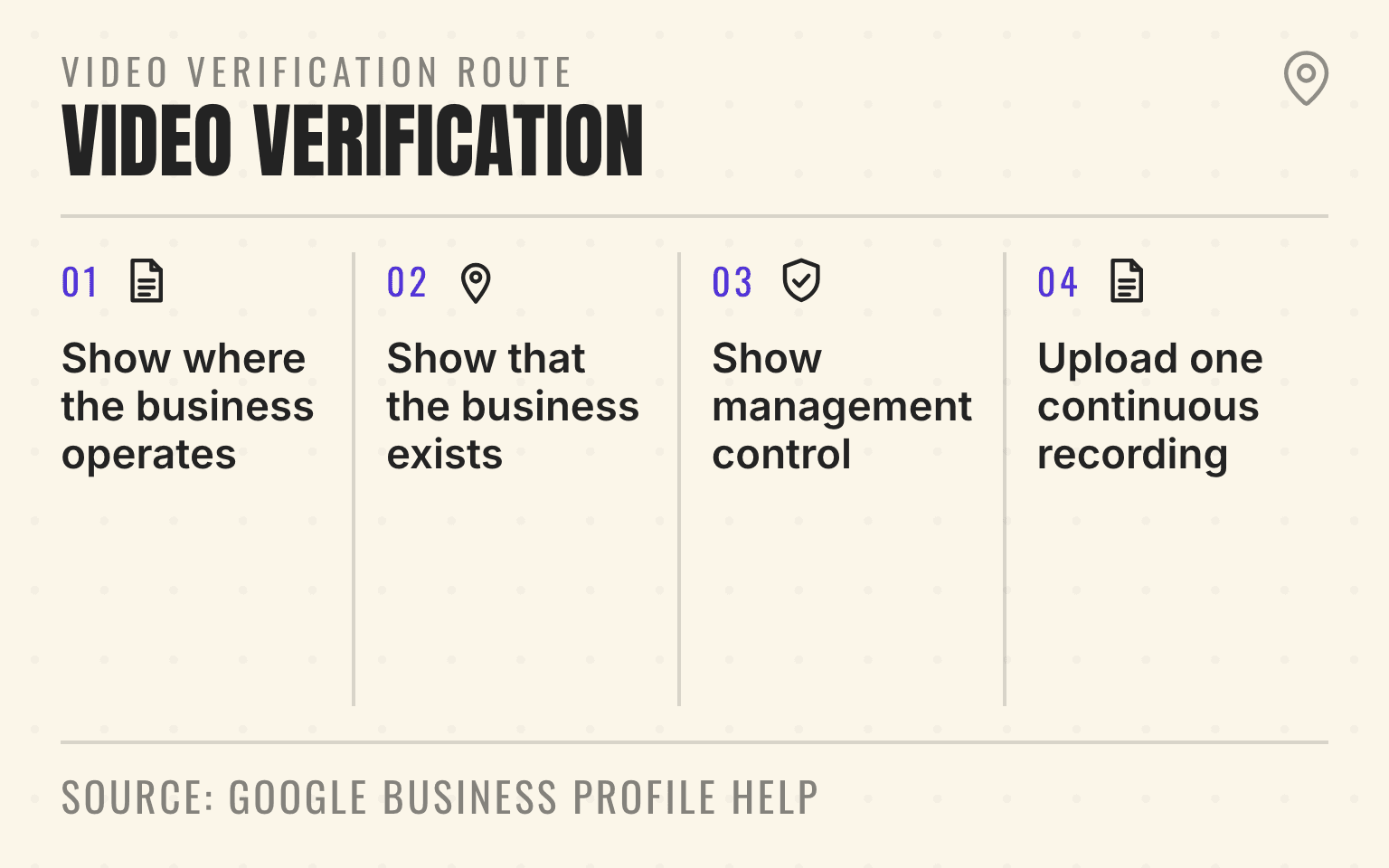
Video verification route
Show place, business, and control
30s+
Minimum recording
- 01Place
Show where the business operates
Street signs, nearby landmarks, or the surrounding area
- 02Business
Show that the business exists
Tools, equipment, products, signage, or branded vehicles
- 03Control
Show management control
Access to a vehicle, workspace, permit, invoice, or utility bill
- 04Submit
Upload one continuous recording
No prerecorded footage, edits, breaks, or sensitive information
Google Business Profile Help: Verify your business with a video recording; checked September 2, 2026.
- Google Business Profile video verification flow showing place, business existence, management control, and continuous upload.
- 1. Show where the business operates: Street signs, nearby landmarks, or the surrounding area
- 2. Show that the business exists: Tools, equipment, products, signage, or branded vehicles
- 3. Show management control: Access to a vehicle, workspace, permit, invoice, or utility bill
- 4. Upload one continuous recording: No prerecorded footage, edits, breaks, or sensitive information
That problem grows across a rollup or franchise system. The central marketing team may control the profile, while the street sign, tools, vehicle, storage area, and manager are hundreds of miles away. A rushed recording can show the wrong entrance, the wrong business name, or no proof that the person behind the camera controls the location.
Google's current video verification requirements give service-area businesses a clear evidence model. The video must show where the business operates, proof that the business exists, and proof that the recorder manages or represents it. The useful operating response is a location evidence route, not an improvised phone tour.
Important
Verify the real operation behind the profile. The video should connect one eligible location, one business identity, and one authorized operator without exposing private customer or employee information.
What Google assigns, and what the operator controls
Prepare Google Business Profile video verification in three stages. First, confirm that the profile describes an eligible service-area or hybrid business. Second, assemble location, equipment, and management evidence that matches the profile. Third, rehearse one continuous route before opening the verification flow on the authorized manager's phone.
Google says verification methods are assigned automatically and can depend on business type, public information, region, or business hours. A business cannot select or switch to video, email, mail, or another method unless Google offers it. Some profiles may need more than one method.
For video recording, Google requires a unique, unedited recording with no breaks. It must be at least 30 seconds long and recorded and uploaded from a mobile device through the Business Profile. Review can take up to five business days.
Verification proves control of the Business Profile. It does not prove that the location ranks well or appears in AI recommendations. After the profile is live, use a location-level visibility check to see whether priority service and market queries actually surface the right branch.
Confirm the profile model before anyone records
A service-area business travels to customers and does not serve them at its business address. Google uses plumbers and cleaning services as examples. If customers do not visit the address, Google says the address should be removed from the public profile and replaced with an accurate service area.
A hybrid business serves customers at its location and also travels or delivers to them. A customer-facing location needs permanent on-site signage, staff, and the ability to receive customers during stated hours. A warehouse, home office, virtual office, or dispatch yard does not become a storefront because the marketing team wants the address to appear publicly.
For a 40-location HVAC platform, that distinction must be decided branch by branch. A staffed showroom with permanent signage may be hybrid. A dispatch base that sends technicians to homes but receives no customers is a service-area business. The evidence route and address settings should follow the real operation.
Google's service-area guidance says a service-area business can have one profile for the area it serves. Google's broader representation guidelines allow separate profiles when a service business has separate locations, staff, and service areas. If the portfolio is still deciding whether another base qualifies, use the multiple Business Profile eligibility test before recording anything.
Show three kinds of evidence in one route
Google asks a service-area business to prove three different facts:
- Operating location: show street signs, nearby landmarks, a building number, or other identifiers at the real business address. A home-based operator can use signs and landmarks in the immediate neighborhood.
- Business existence: show professional tools, equipment, products, a real workspace, business cards, or branded apparel connected to the work.
- Management control: show the recorder performing a service or accessing business-only assets. Google gives examples such as opening a branded van or showing a permit, invoice, or utility bill that matches the Business Profile name.
Do not let one piece of evidence carry all three jobs. A van can show equipment and control, but a vehicle parked in a random lot may not establish where the business operates. A utility bill can connect the name and address, but it may not show that the person recording controls the tools or workspace.
For a plumbing branch, a defensible route might begin with the street and building context, continue to the service vehicle and drain equipment, and finish with the manager opening a business-only storage area. The route should make sense to someone who has never visited the branch.
Rehearse the one-take recording before opening Google
Google does not accept an edited highlight reel. The person at the location should rehearse the route while the central profile owner checks that every visible fact matches the Business Profile.
Start where the phone can establish the location. Walk into the operating area without stopping the recording. Show equipment that is specific enough to demonstrate the business's work. End with an action that demonstrates management control.
The exact route depends on the operation. A restoration branch might move from an industrial park marker to drying equipment and a locked storage room. A roofing location might show the warehouse exterior, stored materials, and employee-only access. A home-based plumber might show immediate neighborhood markers, an organized work vehicle, and business documents with sensitive fields covered.
Privacy needs a rehearsal too. Google explicitly says the video must not include bank, tax, or identification numbers, private information about other people, or other people's faces. As a Cheers preparation step, also move customer records, employee schedules, family photos, license plates, access codes, and unrelated personal material out of frame. A document can prove the business name without exposing an account number.
Give each location a verification owner
Multi-location teams fail when the central account owner and local evidence owner assume the other person is ready. The portfolio needs one record for each profile before a verification request appears.
Track the public profile URL, internal location code, business type, public address setting, service area, primary owner, local recorder, business hours, and the evidence route. Record which real-world name appears on vehicles, uniforms, permits, and location materials. Keep sensitive documents outside the shared marketing file and note only where an authorized local manager can retrieve them.
The central profile owner should confirm account access and profile facts. The regional or branch operator should confirm the location, tools, staff, and customer model. The person recording should be authorized to access the profile and the business-only areas shown in the video.
Acquisitions need an extra check. The acquired company may still use its local brand on vehicles and permits while the profile has already been renamed to the parent brand. Complete the Business Profile ownership transfer and settle the real public identity before asking a branch manager to prove a name the operation does not yet use.
Next step
Is AI recommending your business?
Find out how visible you are across ChatGPT, Gemini, Perplexity, and AI Overviews.
Avoid evidence that creates a new policy problem
A verification video cannot rescue an ineligible profile. Do not record at a mailbox, virtual office, borrowed warehouse, unstaffed storage unit, or customer address to create the appearance of a branch. Do not add a public storefront address when customers cannot visit during the listed hours.
Avoid generic footage that could belong to any location in the portfolio. A close-up of one wrench does not establish a plumbing branch. A national brand logo on a phone screen does not establish local management. A lease or utility bill with a different name creates another question unless the relationship is clear and the profile reflects the real business.
Do not create a duplicate profile when verification is slow. Google says its review may take up to five business days. A duplicate can divide ownership, reviews, and location facts, then make the original problem harder to diagnose.
Handle rejection and re-verification as a location incident
If Google rejects the video, the profile should show a Review issues notice. Google's examples include a missing business name, missing nearby area, or missing proof of authorization. The next recording should include the evidence from the first attempt plus the missing proof.
Treat that result as a location incident. Record the rejection date, reason shown, owner, next route, and resubmission date. Correct a real profile or evidence mismatch before shooting again. If the profile is suspended rather than merely unverified, use the multi-location suspension appeal workflow instead of submitting replacement profiles.
If the video will not upload, Google recommends trying again. If a compliant new recording continues to fail, use another verification method if the profile offers one or contact Business Profile support. Do not create a replacement profile to bypass the issue.
Google can also request re-verification after business information changes. Its help documentation does not provide a guaranteed field-by-field trigger list, so keep the evidence record current whenever a material profile fact changes.
Pure service-area businesses should not assume that having 10 or more locations moves them into the standard bulk-verification path. Google's bulk verification requirements exclude service-area businesses. The separate home service bulk-verification guide explains how customer-facing and service-area locations change the portfolio plan.
Connect verification to the public customer path
Verification is an access and eligibility control. The video is not a public ranking asset, and Google does not say that a better-looking verification video improves local rankings or AI visibility.
The work still matters because the verified profile carries public business details into Search and Maps. Google's AI Search guidance says Business Profiles can help local products and services appear in AI responses and other Google Search results. The same guide says generative features rely on core Search ranking and quality systems. It does not present verification as a separate ranking lever.
After verification, compare the live profile with the location page, phone route, service area, hours, and booking path. For an HVAC branch in Phoenix, the verified profile should not point to a national contact page that hides the local service area. For a restoration location after an acquisition, the profile name, location page, vehicle identity, and public citations should describe the same operating business.
If a field team later reuses verification-adjacent photos in Local Services Ads, do not assume the verification video rules govern those assets. The AI-generated Local Services Ads photo guide covers Google's separate August 2026 restriction and a branch-level provenance workflow.
Pilot two locations before scaling verification
First, classify every location as storefront, hybrid, or service-area. Remove proposed profiles that represent only a territory, mailbox, or marketing campaign. Confirm the primary owner and local recorder for each eligible profile.
Next, build the evidence route at two pilot locations. Use one normal service-area branch and one harder exception, such as a home-based operator or recently acquired location. Rehearse location, existence, control, and privacy checks without submitting.
Complete both pilot recordings through the Business Profile, record the submission date, and allow up to five business days for Google's review. Avoid unrelated profile edits during the review as a Cheers change-control practice, not as a Google requirement.
If Google identifies missing proof, correct the mismatch and treat the new recording as a new review cycle. After the pilots are accepted, document the evidence routes and schedule the remaining locations by regional owner. Read back each verified profile from the managing account and from public Search or Maps. Then check the phone, website, hours, address visibility, and service area before closing the location record.
The useful standard is simple: every profile should trace to a real operation that a local manager can show, control, and maintain. If the evidence route requires explanation, borrowed assets, or a different business identity, fix the operation or the profile before pressing record.
Sources
- Verify your business with a video recording, Google Business Profile Help, no publication date. Checked September 2, 2026.
- Verify your business on Google, Google Business Profile Help, no publication date. Checked September 2, 2026.
- Manage service areas, Google Business Profile Help, no publication date. Checked September 2, 2026.
- Guidelines for representing your business on Google, Google Business Profile Help, no publication date. Checked September 2, 2026.
- Verify Business Profiles in bulk, Google Business Profile Help, no publication date. Checked September 2, 2026.
- AI features and your website, Google Search Central, July 2026. Checked September 2, 2026.
Dylan Allen-Arnegård is the CEO & Co-Founder of Cheers, the local search platform for multi-location service businesses.