

Google's Business Profile guidelines say a website should represent the individual location it belongs to. The page was undated when checked on September 2, 2026, so that rule is the current verified basis for the recommendation.
Last verified: September 2, 2026.
Google's documentation says:
Provide a website that represents your individual business location.
Owned source handoff
Send the profile to the branch
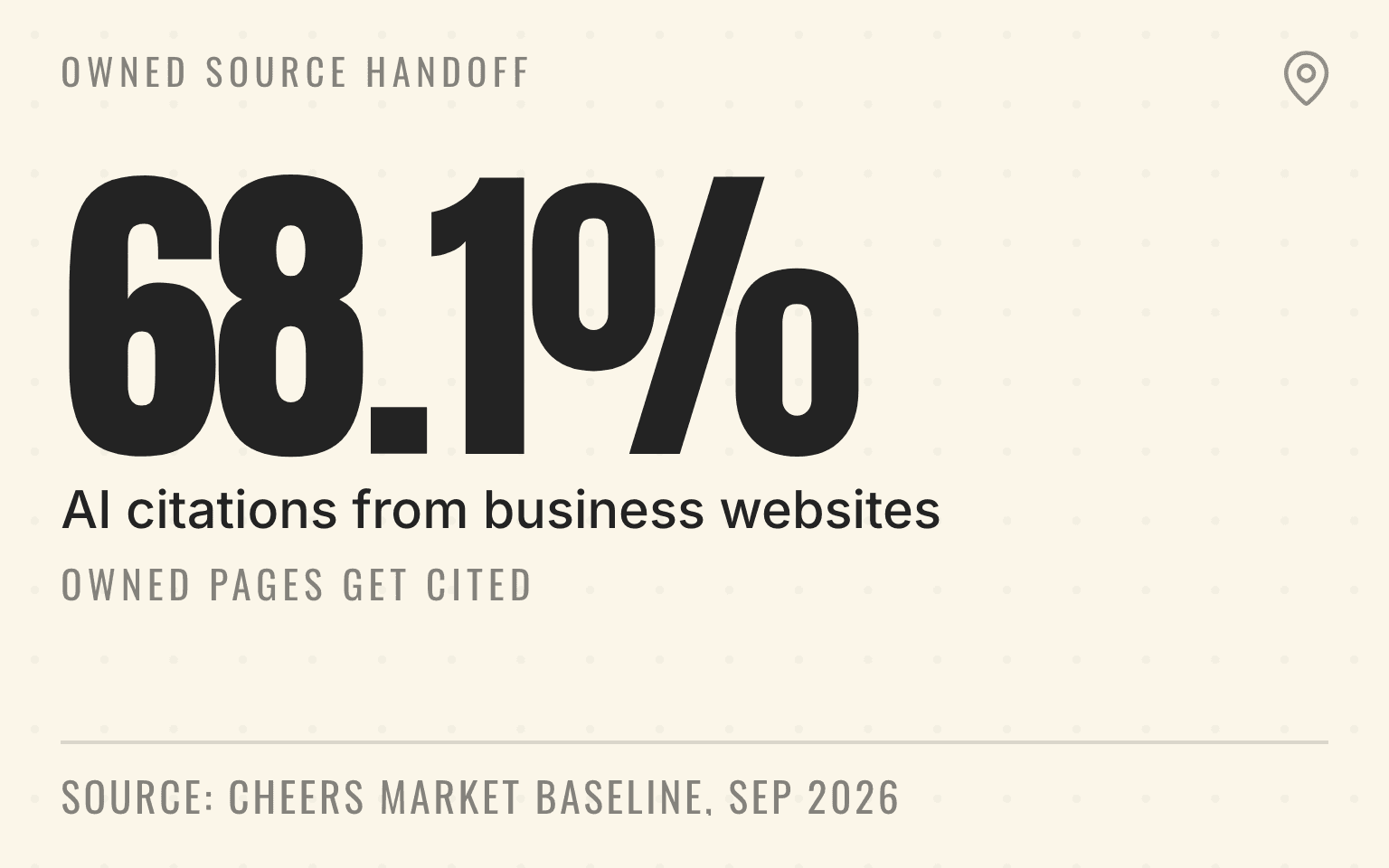
68.1%
Pooled AI citations from business websites
100
U.S. and Canadian metros
4
Answer engines
49,677
Local-intent runs
Cheers Market Baseline, 28 days ending September 2, 2026; 100 metros, four engines, aggregate only.
| Finding | Value | Base |
|---|---|---|
| Pooled AI citations from business websites | 68.1% | Stated in the source |
| U.S. and Canadian metros | 100 | Stated in the source |
| Answer engines | 4 | Stated in the source |
| Local-intent runs | 49,677 | Stated in the source |
The reason is practical. Someone who opens the Mesa HVAC profile should land on a page that confirms Mesa coverage and routes the call to the team that serves it. Sending that person to a national homepage, then asking them to choose a market again, creates a needless second handoff.
Important
A location-specific URL is not a local ranking guarantee. It is a cleaner customer route and a clearer connection between one Business Profile, one owned page, and one operating location.
This guide covers the main website field. Google's appointment, order, and booking links have stricter action-completion rules, which are covered separately in the Business Profile booking-link guide.
Google's answer is individual-location first
The current Google Business Profile API reference describes the websiteUri field as a URL for the business and says to use a URL for the individual location, if possible, rather than one that represents every location or the whole brand.
Google's business representation guidelines apply the same logic to customer contact details: the website and phone should connect to the individual location. Those guidelines also allow a service-area business to maintain one profile per real operating location when each location has separate staff and a separate service area.
That gives a portfolio operator a defensible default. If the profile represents a specific branch, clinic, franchise unit, or staffed service-area operation, its website URL should identify the same operation. The location-page checklist for AI search explains what the destination needs after the mapping is correct.
There is still judgment involved. Google says "if possible," not "in every circumstance." A thin city page with a swapped place name is not better than a useful homepage. The right sequence is to publish a page that genuinely represents the location, verify it, and then map the profile to it.
After the route works, run a location-level visibility check in priority markets. That separates a customer-handoff fix from the separate question of whether the branch appears for the services people search.
Next step
Is AI recommending your business?
Find out how visible you are across ChatGPT, Gemini, Perplexity, and AI Overviews.
Website links are not booking links
Multi-location teams often treat every Business Profile URL as one interchangeable field. Google does not.
The main website field can explain the branch, coverage, services, hours, proof, and contact options. A booking or appointment link promises a specific action. Under Google's business-links policy, an action link for a multi-location business must lead to a page for the specific location and let the customer complete the action it names.
Suppose a Phoenix med spa profile links to the Phoenix clinic page in the website field. Its appointment link can then go straight to a Phoenix-filtered scheduler. If that scheduler silently switches to Scottsdale, the website mapping may still be correct while the appointment route fails policy and customer expectations.
Keep the fields separate in the operating ledger. Test them separately too.
Why the owned page matters in AI answers
Cheers' Market Baseline found that business websites supplied 68.1% of pooled citations across 49,677 local-intent runs and 356,019 citations. The panel covered 100 metros in the United States and Canada and four answer engines over the 28 days ending September 2, 2026.
That number does not prove that a location page earns a recommendation. It does show that owned pages are a major part of the evidence answer engines cite. A profile-to-page map should therefore lead to the strongest accurate page for that branch, not merely the shortest URL.
Pro Tip
Cheers Market Baseline, 28 days ending September 2, 2026, 100 metros, four engines, 49,677 runs, 356,019 citations, aggregate only (corrected September 23, 2026). Read the methodology.
Build a one-to-one location-to-URL map
Do not start by editing profiles. Start with a controlled map of the portfolio.
Each row should contain:
- the stable store code or internal location ID, Business Profile ID, and public business name
- the real operating location or approved service area, with profile eligibility already confirmed
- the current website URL, proposed location-page URL, and canonical destination after redirects
- the phone, form, booking, and dispatch owner that should receive the customer
- the page owner, profile owner, approval state, publish time, and public readback status
A store code matters because names change. An acquired plumbing company may keep its local trade name for a year, then adopt the parent brand. The branch still needs one stable row tying its profile, page, call route, and reporting history together.
For a 60-location HVAC group, this mapping also exposes duplicates that a CMS export hides. Two profiles may point to the same Dallas page even though one serves Fort Worth. Three franchise pages may resolve to one corporate canonical. A closed branch may still own the URL now proposed for a new location. Fix those conflicts before the bulk edit.
If the brand relies on a location finder, check that its branch destinations can actually be crawled and indexed. The guide to indexable location-finder pages covers the common JavaScript, canonical, and internal-link failures.
The destination page must finish the handoff
A path that contains a city name is not automatically a location page. Open it as a customer would, without an admin session or saved market selection.
The page should identify the business represented by the profile, explain the service area or storefront address, show the services available there, publish accurate hours, and provide the contact path for that operation. Local proof should be real and relevant: technicians, completed work, licenses where applicable, and review themes tied to the market.
Now test the handoff. Does the phone reach the right queue? Does the form carry the branch through submission and CRM creation? Does the booking flow retain the location? If the answer changes after a redirect, cookie prompt, or market selector, the destination is not ready.
An electrical roll-up offers a clean example. Its Raleigh profile points to /locations/raleigh, where the public phone reaches the Raleigh dispatch queue and the form stores the Raleigh branch ID. The Cary profile should not use that URL merely because the two branches share a call center. The customer-facing page still needs to identify Cary and carry that branch into the shared system.
Add attribution without changing the destination
UTM parameters can separate Business Profile website visits from untagged organic traffic. Google's Analytics URL-builder guidance explains how source, medium, and campaign parameters identify the referring campaign.
Use one naming convention across the portfolio. A practical pattern keeps source as google, medium as organic, and campaign tied to the profile or location program, with a stable location value when the analytics design calls for it. Do not let the parameter decide which branch loads. The path should already identify the location.
The presence of query parameters is not evidence that a profile has useful attribution. A URL audit needs to preserve, standardize, or remove them deliberately.
Call attribution needs the same discipline. A tracking number can measure profile demand while the page still shows and routes the right local contact path. The multi-location call-tracking guide covers number consistency and forwarding checks.
Roll out in a small, reversible batch
Choose a representative group, not the easiest five profiles. Include a storefront, a service-area operation, an acquired brand, and a location with a tracked website route. That group exposes more failure modes before the portfolio-wide change.
Before publishing, record the previous URL and open the proposed destination in a clean browser. Confirm the final status code, canonical, visible location facts, phone, form, booking route, and analytics parameters. Then make the narrow website-field change without touching names, categories, hours, or addresses.
Read the result back from the public profile in both Google Search and Maps. An accepted API or manager edit proves that Google received the value; it does not prove that the public profile shows it or that the destination completes correctly.
Hold the batch long enough to test real routing and reporting. If one branch crosses into another location's form or call queue, stop. Repair the map before scaling the update.
Measure the route, not just website clicks
Google Business Profile performance reports website clicks, but a click is the start of the handoff. The portfolio metrics guide separates discovery and profile actions from completed customer outcomes.
At minimum, compare profile website clicks, engaged location-page visits, form starts, completed forms, connected calls, booked appointments, completed jobs, and revenue by store code. A regional total can improve while a branch quietly routes every visitor to the wrong queue.
Search Console can reveal a different problem: the wrong page may be appearing for a location-page question. Review the query, landing page, branch, and customer route together before treating an impression as useful visibility.
Run a location-level visibility check after the owned route is correct. Visibility measurement cannot repair a bad handoff, but it can show whether the right location appears for the service and market questions that matter.
When a homepage is still defensible
A single-location business can use its homepage when that page represents the same operation and supplies the local facts and contact route. A newly acquired branch may also need the parent homepage for a short period while the team builds and verifies a real branch page.
For a multi-location brand, treat that as a documented exception with an owner and deadline. Do not replace a useful homepage with a weak doorway page just to satisfy a pattern, but do not leave 40 profiles on the root domain because the CMS backlog has no accountable owner.
The operating rule is simple: map each profile to the most specific useful page that represents the same real location, then prove the customer reaches that location's team.
Sources
- Location resource, Google Business Profile API, November 2025. Checked September 2, 2026.
- Guidelines for representing your business on Google, Google Business Profile Help, no publication date. Checked September 2, 2026.
- Business links policy, Google Business Profile Help, no publication date. Checked September 2, 2026.
- Campaign URL builder, Google Analytics Help, no publication date. Checked September 2, 2026.
- LocalBusiness structured data, Google Search Central, June 2026. Checked September 2, 2026.
- AI features and your website, Google Search Central, July 2026. Checked September 2, 2026.
- AI Visibility Statistics, Cheers Research, September 2026. Checked September 2, 2026.
- Research methodology, Cheers Research, September 2026. Checked September 2, 2026.
Dylan Allen-Arnegård is the CEO of Cheers, the local search platform for service businesses.