

A business owner cannot open Google Business Profile and rewrite Google's AI review summary. Google's own local listings documentation, checked September 2, 2026, states the input window:
"Each summary is based on reviews from the past year and updated regularly to reflect recent opinions."
Nothing in that sentence is a merchant field. The summary is compiled by Google from a year of customer reviews, and the owner's lever is the service those reviews describe.
Last verified: September 2, 2026.
Google describes the summary as a synthesis of recent customer reviews generated with AI. The merchant can edit a separate business description, report a qualifying summary problem through the feedback path Google provides, and report an underlying review that violates policy. A negative theme or awkward sentence is not, by itself, a reason for Google to remove anything.
That boundary matters for a 75-location plumbing group or med spa platform. Corporate marketing may see one branch summarized for "clear explanations" and another for "appointment delays." Start by identifying the surface, tracing the theme to real customer evidence, fixing the branch operation when the evidence is fair, and preserving the policy route for genuine errors. Scripting new reviews until the wording changes would corrupt that evidence.
Important
Treat the summary as a customer-experience readback, not a merchant-controlled ad. Google does not publish a formula, minimum review count, or guaranteed refresh interval that lets a business force a preferred theme.
First identify which Google summary you are seeing
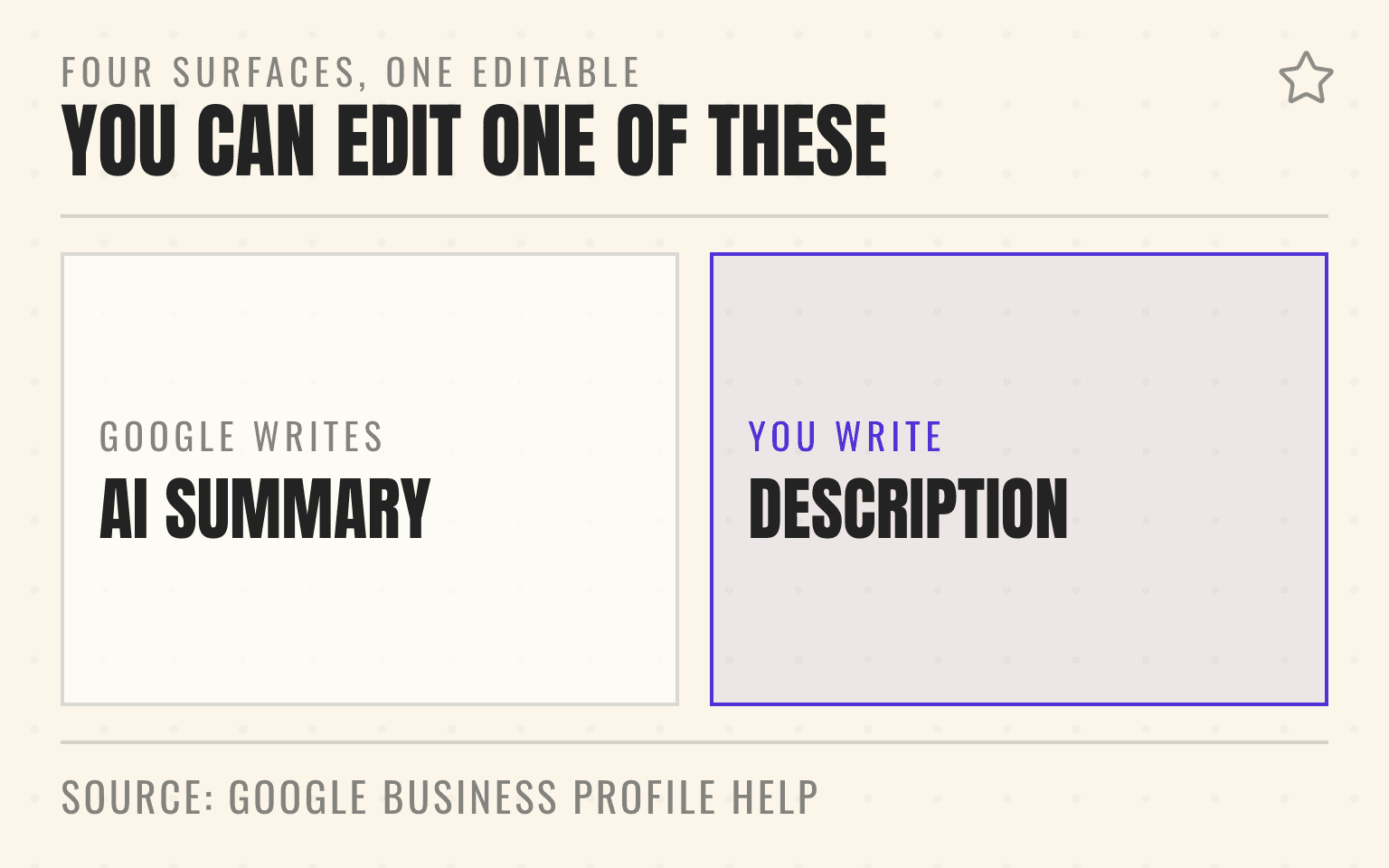
Google uses several kinds of short text around a Business Profile. They do not share the same controls:
- AI review summary: an AI-generated overview based on recent reviews; owners cannot directly edit the text
- Review snippets and Place Topics: algorithmically selected phrases or recurring themes from reviews; businesses cannot create them on demand
- Editorial summary: a short description written by Google's team; it is not a merchant field, although Google provides a limited reporting path for certain factual issues
- Business description: merchant-authored profile copy; an authorized owner or manager can edit it within Google's content rules
Google's Business Profile summary guidance explains the difference among merchant descriptions, editorial summaries, review snippets, and Place Topics. A branch manager who changes the business description has not edited the AI review summary. A reputation lead who reports one review has not automatically reported the summary either.
Record the surface before opening a ticket. Capture the profile, location, exact text, device, product, language, date, and the feedback or report link shown beside it. Google notes that snippets can vary by device, platform, language, and location, so two team members may be looking at different outputs.
What Google actually documents about AI review summaries
Google's AI review summary help page says it uses AI to analyze reviews and highlight themes. Each summary is based on reviews from the past year and is updated regularly. Google also says summaries are not available for every place. Limited reviews or a lack of consistent themes can be reasons a summary does not appear.
For developers, Google's Places API review-summary documentation adds several useful boundaries. Its AI-powered review summaries are based solely on user reviews, are limited by product, language, and region, and are not guaranteed for every place. The response includes disclosure text, links to supporting reviews, and a dedicated flagging URL.
The Places API reference, last updated September 1, 2026, is blunt about coverage: "Review summaries are not guaranteed for all places." The help page gives the reason: "Review summaries aren't available for all places. This can be due to factors like limited reviews or a lack of consistent themes, among other reasons."
The documentation does not publish a universal threshold such as "eight mentions," a fixed seven-day refresh, or a rule that one particular phrase will make the next summary. Those unsupported shortcuts are common in vendor advice. They are not sound operating targets.
Use the free AI Visibility Grader to capture one profile snapshot, then keep the portfolio record in the system your reputation and operations teams already use.
Next step
Is AI recommending your business?
Find out how visible you are across ChatGPT, Gemini, Perplexity, and AI Overviews.
What owners can change and what they cannot
An owner can change the merchant-authored business description, correct eligible profile facts, and improve the experience the location delivers. An owner cannot replace the AI summary with approved brand copy or choose which recent reviews Google weighs.
Reporting depends on the surface. Google's summary guidance provides a narrow route for a short summary that describes the wrong place or, for an editorial summary, the wrong service. The Places API returns a specific flagContentUri for its review summary. Use the link attached to the output you actually saw, then retain the submission and Google's response.
Do not report an underlying review merely because it makes the summary uncomfortable. Google's review-reporting guidance says only policy-violating reviews are eligible for removal. The Maps content policy is the classification source for fake engagement, conflicts of interest, harassment, personal information, off-topic content, and other violations.
If a pest-control location is summarized around missed arrival windows, inspect dispatch records and the supporting reviews. A real pattern belongs in operations. A review posted by a competitor or containing prohibited personal information belongs in the policy workflow. The multi-location fake-review guide separates those cases.
Do not script reviews to rewrite the summary
A manager may be tempted to tell the next 30 customers, "Please mention that the technician arrived on time." That turns an audit finding into requested wording.
Google's review request guidance allows businesses to share a review link or QR code. Its content policy requires reviews to reflect genuine experiences and prohibits incentives, selective positive solicitation, pressure, and requests for specific content. The safe ask is neutral: invite every eligible customer under the same rule to describe the experience in their own words.
That does not mean the company should ignore recurring language. If customers independently keep mentioning clear estimates, clean work areas, or confusing appointment windows, the pattern can guide coaching and page improvements. The customer supplies the words. The operator verifies and improves the underlying experience.
The compliant review collection playbook covers eligibility, incentives, rating pressure, and employee targets. The point-of-service review guide turns those rules into a field handoff.
Treat the summary as an operating signal by location
The same brand can earn different themes because customers experience different branches.
At a med spa, repeated comments about rushed consultations may point to appointment spacing, intake, or provider handoff. At a restoration company, praise for daily updates may reflect one project manager's communication process. At a pest-control branch, comments about unclear follow-up could reveal that the technician closes the visit without explaining what the homeowner should expect next.
Do not turn a single sentence into a portfolio diagnosis. Read the source reviews, check when they were posted, and compare them with service records and complaint themes. Separate a one-off event from a repeated branch pattern. Then name one accountable owner who can test the cause.
Volume is what makes a summary possible at all, and the pace varies widely between companies. In the Cheers production review pull covering the 90 days ending September 2, 2026, the median home-services company collected 9.7 new reviews per location a month, across 11 companies and 76 locations with at least one review; the 25th percentile company collected 6.5 and the 75th percentile company 26.4. A location adding six reviews a month is feeding a year-long window slowly, which is one reason its summary can look stale. Aggregate only (corrected September 23, 2026), no company named; see the panel methodology and the Home Services AI Visibility Index.
Cheers' role is measurement. A multi-location team can use source tracking and prompt audits to see how a business is described across AI search, then connect the public signal to the location that owns the experience. The multi-location AI visibility audit provides the broader measurement framework.
Run a 30-day location-level audit
This cadence is a Cheers operating recommendation, not a Google refresh promise.
Days 1 through 3: preserve the output
For every affected location, capture the exact summary and its source context. Keep one record with the profile URL, location ID used internally, summary type, visible text, supporting reviews, language, device or product, capture date, report link, suspected operating theme, owner, and next review date.
Days 4 through 10: classify the evidence
Mark each theme as supported, mixed, unsupported, or policy-sensitive. Supported means several recent reviews and branch records point to the same experience. Mixed means the location has contradictory evidence. Unsupported means the visible summary appears unrelated to the reviews you can inspect. Policy-sensitive means an underlying contribution may violate Google's rules.
Let the status determine the route: send supported themes to local operations, policy-sensitive reviews through Google's reporting workflow, unsupported summaries through the summary feedback path, and mixed evidence back into observation. Don't force a conclusion while the evidence still conflicts.
Days 11 through 24: repair the customer moment
Choose one change the location can verify, then define the evidence before the work starts. A plumbing branch might add an arrival-window confirmation to dispatch, while a med spa adds two minutes to the consultation handoff; a restoration team could require a final moisture readback and customer explanation before closing the job.
Track completion through operational evidence such as dispatch timestamps, call audits, appointment notes, quality-control checks, or complaint categories. Do not use the AI summary itself as the only measure of whether the repair worked.
Days 25 through 30: retest without claiming causation
Capture the same Google surfaces again and record whether the summary changed, disappeared, or stayed put. Compare that observation with recent review themes and the underlying operating measure.
A changed summary does not prove that one intervention caused it. An unchanged summary does not prove the intervention failed. Google says summaries update regularly, but it does not promise a schedule or disclose how individual reviews affect the wording. Keep the business result and the platform observation as separate fields.
Build a portfolio control, not a rewrite campaign
An executive review should ask, "Which location-level customer themes are supported, who owns the underlying experience, and what evidence tells us the repair worked?" Asking how to make Google say something nicer points the team at a field it cannot edit.
That control gives marketing, operations, and customer experience one shared record. It also prevents a well-intended local manager from buying reviews, filtering unhappy customers, or scripting keywords in pursuit of a sentence nobody at the company can directly edit.
Google's AI review summary is a compressed outside view of recent customer evidence. Preserve and classify it, use the right reporting route for genuine errors, and fix the service when the theme is fair. Measure the customer experience and the public output on their own timelines.
Sources
- How Google sources and uses information in local listings. Google, undated help page. AI review summary inputs, one-year review window, update behavior, and availability limits. Checked September 2, 2026.
- Business Profile summaries and review snippets. Google Business Profile Help, undated help page. Merchant descriptions, editorial summaries, review snippets, and Place Topics. Checked September 2, 2026.
- Places API review summaries. Google Maps Platform, last updated September 1, 2026. Source reviews, language and region availability, disclosure text, and flagContentUri. Checked September 2, 2026.
- Report inappropriate reviews on your Business Profile. Google Business Profile Help, undated help page. Checked September 2, 2026.
- Prohibited and restricted content. Google Maps contribution policy, undated policy page. Checked September 2, 2026.
- Tips to get more reviews. Google Business Profile Help, undated help page. Approved review link and QR code workflow. Checked September 2, 2026.
- Home Services AI Visibility Index 2026. Cheers Research, September 2, 2026.
Dylan Allen-Arnegård is the CEO of Cheers, the local search platform for service businesses.