


Google recommends hyphens between words in URLs, but its October 23, 2026 clarification doesn't announce a deadline for renaming existing pages. A working branch URL with underscores doesn't need a punctuation-only migration. Use the convention for new pages, and require a concrete reason before moving an established address.
That is a practical recommendation, not a claim that underscores improve rankings. A rename creates work wherever the old URL appears: the website, Business Profile, ads and customer messages. The proposed benefit should justify that work.
Last verified October 31, 2026.
Separate naming from moving
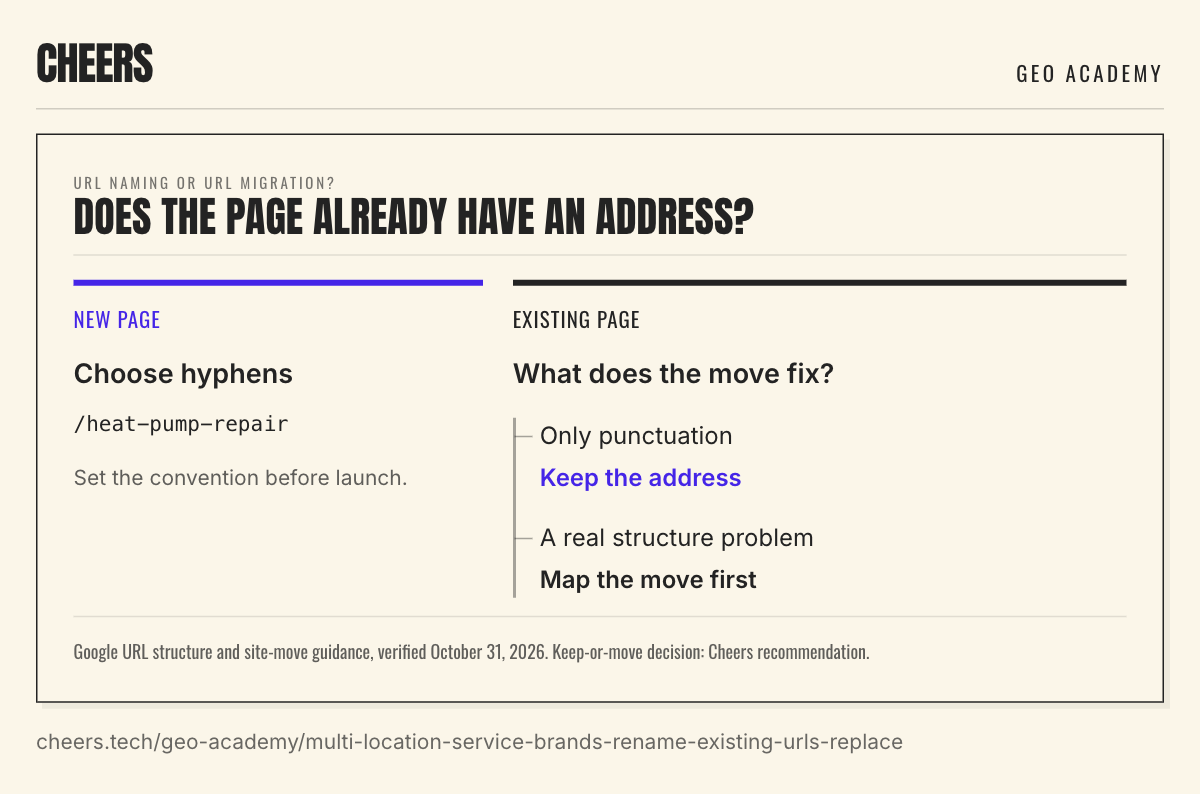
Google's URL structure guide recommends hyphens rather than underscores to separate words. For a new page, /services/heat-pump-repair is a sensible choice. Set the convention before launch and use it consistently.
An existing /services/heat_pump_repair page is a different decision. If it answers the right question and reaches the right branch, its punctuation alone isn't a useful reason for an urgent move. Improve the page's content without changing its address.
URL naming or URL migration?
Does the page already have an address?
New page
Choose hyphens
/heat-pump-repair
Set the convention before launch.
Existing page
What does the move fix?
Only punctuation
Keep the address
A real structure problem
Map the move first
Google URL structure and site-move guidance, verified October 31, 2026. Keep-or-move decision: Cheers recommendation.
A migration can be justified when it solves another problem, such as consolidating duplicate pages or adopting a clearer site structure. In that case, choose the final destinations before changing the old paths. For a wider architecture change, use the subfolder versus subdomain decision as part of the plan.
Keep the scope honest. If the problem is missing service coverage or weak branch information, fix the location page. A different separator can't supply those details.
Write the redirect before approving the rename
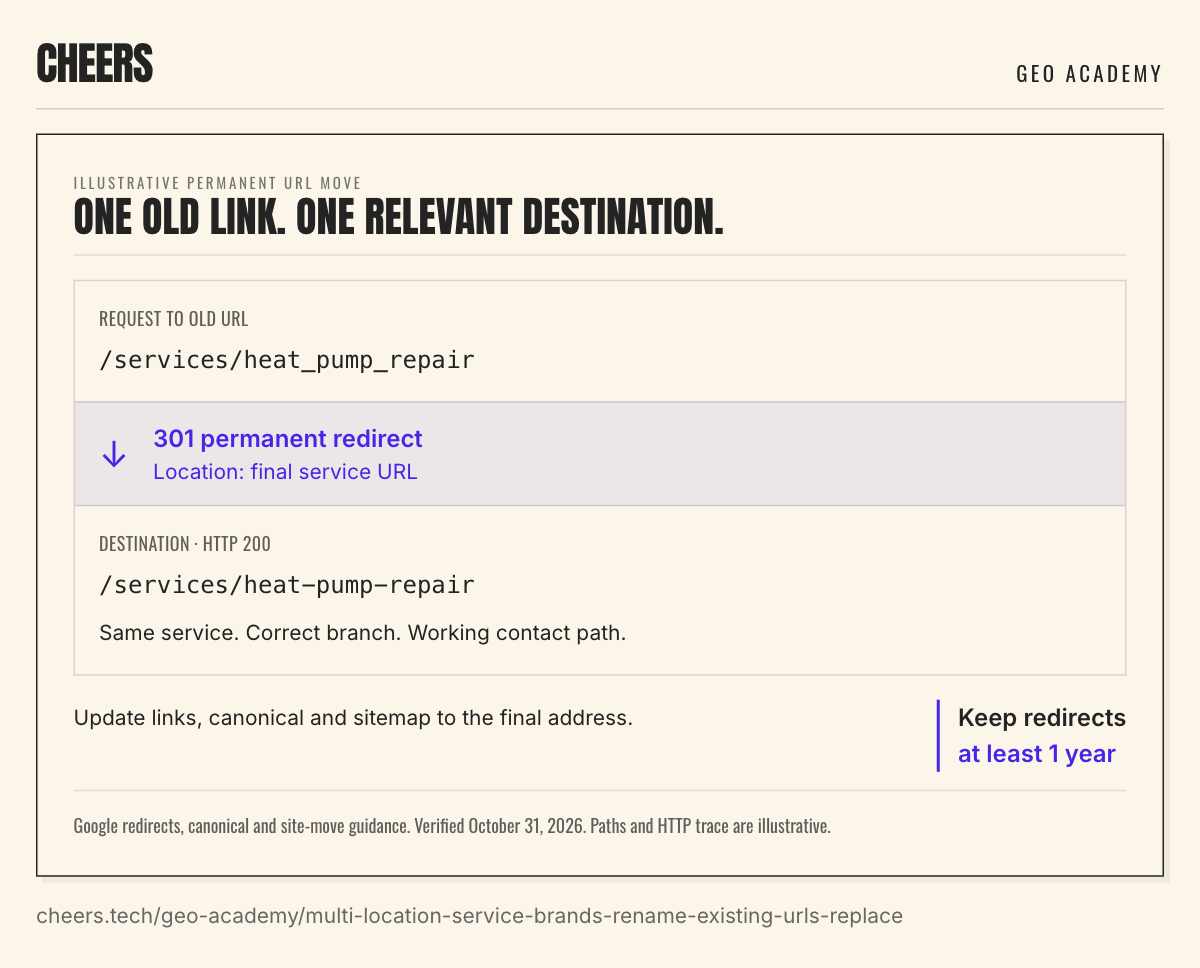
For a permanent move, Google's redirect guide recommends a permanent server-side redirect when possible. HTTP 301 and 308 indicate a permanent move. The old URL should lead directly to the relevant final page.
For example, suppose a justified site restructure moves /services/heat_pump_repair to /services/heat-pump-repair. The old route returns a 301 with the new path as its Location destination. The new page returns a successful response and still describes heat-pump repair. These are illustrative paths, not evidence of a live customer migration.
Illustrative permanent URL move
One old link. One relevant destination.
Request to old URL
/services/heat_pump_repair
301 permanent redirectLocation: final service URL
Destination · HTTP 200
/services/heat-pump-repair
Same service. Correct branch. Working contact path.
Update links, canonical and sitemap to the final address.
Keep redirects
at least 1 year
Google redirects, canonical and site-move guidance. Verified October 31, 2026. Paths and HTTP trace are illustrative.
The redirect shouldn't send the customer to a broad homepage and leave them to find the service again. Nor should it pass through several earlier versions of the URL. Google's site-move guide advises directing redirects to the final destination.
A branch move needs the same test. If /locations/north_office becomes /locations/north-office, the destination should still describe the same branch and offer its correct contact path. If the branch has closed, use the separate closed-location cleanup process to decide what belongs at the destination.
Update the routes customers actually use
A redirect preserves old visits, but the links you control should use the current address. Update navigation and contextual website links, then check the branch's Business Profile website link, active ads and customer-message templates. Those systems may have different owners.
Keep the final page's canonical URL and sitemap entry consistent with the move. Google's canonical guidance recommends linking internally to the canonical address. A canonical tag doesn't send a visitor from the old URL to the new page; the redirect does that job.
Don't let the rename silently change the booking destination. A med spa location page may link to a separate appointment provider. The website page can move while the appointment URL remains the same. Open the actual booking link and confirm the correct location is selected.
Campaign links deserve a test with the parameters your reporting uses. Check that the visitor reaches the intended page and that the reporting still receives the expected visit. A clean address in a spreadsheet doesn't establish either result.
Keep the migration checklist short
Before approving a necessary move, ask the website owner to demonstrate these checks on one service page and one branch page:
- The old address redirects directly to the intended final page with a permanent response.
- The destination loads, describes the correct service or branch, and has a working contact path.
- Internal links, canonical tags and sitemap entries agree on the final URL.
- The important external entry points have been checked, with any remaining edits assigned to an owner.
- The redirect map has a maintenance owner and a retention period of at least 1 year.
The one-year recommendation comes from Google's site-move guidance. Longer retention can help people following old bookmarks, saved messages or printed links. Put that responsibility in the agency handoff so the redirects survive a change in website supplier.
Measure a move without inventing a ranking story
Google warns that search visibility can fluctuate while it processes a migration. Save the earlier page's performance record before the change, then review the destination over time. Avoid crediting a short-term gain or loss to a hyphen when the page, links or site structure changed too.
URL Inspection can show Google's stored indexing information and provide a separate live test. Use the stored result when checking Google's selected canonical URL. Keep that observation separate from the browser check that the redirect works.
This week, review any bulk URL-rename request before it becomes a deployment. If the only reason is the October clarification, apply the naming convention to new pages and leave working addresses in place. For a justified move, approve the destination map and maintenance plan together. The customer should still reach the right service from an old link after the launch team has moved on.
Sources
- Search Central documentation updates and URL structure best practices. October 23 clarification and hyphen guidance.
- Redirects and Google Search. Permanent server-side redirects, including 301 and 308.
- Site moves with URL changes. Direct destination mapping, redirect retention and migration fluctuations.
- Canonical URL guidance. Consistent links and canonical signals.
- URL Inspection tool. Indexed information, canonical selection and live testing.
Sources read October 31, 2026. The keep-or-move decision and example paths are Cheers recommendations, not a forecast of ranking gains.
Dylan Allen-Arnegård is the CEO & Co-Founder of Cheers, the local search platform for multi-location service businesses.